> For the complete documentation index, see [llms.txt](https://docs.notionapps.com/llms.txt). Markdown versions of documentation pages are available by appending `.md` to page URLs; this page is available as [Markdown](https://docs.notionapps.com/troubleshooting/how-to-enable-third-party-cookies.md).
# How to enable third-party cookies?
NotionApps needs third-party cookies for Google authentication to work properly. Here are the instructions on how to enable third-party cookies in your Google Chrome browser.
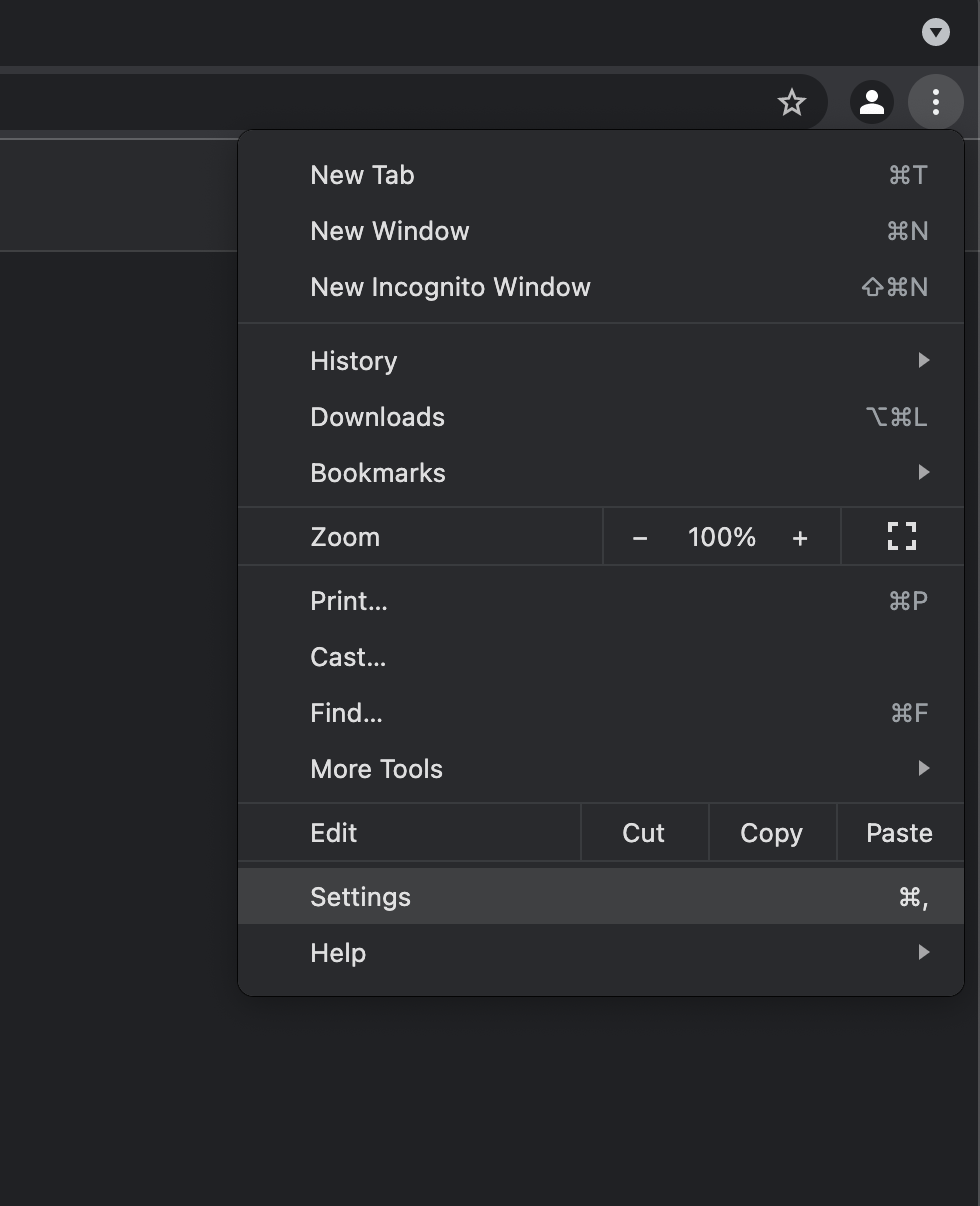
1. In the Google Chrome browser, at the top right, click *More* (3 dotted) and then Settings.
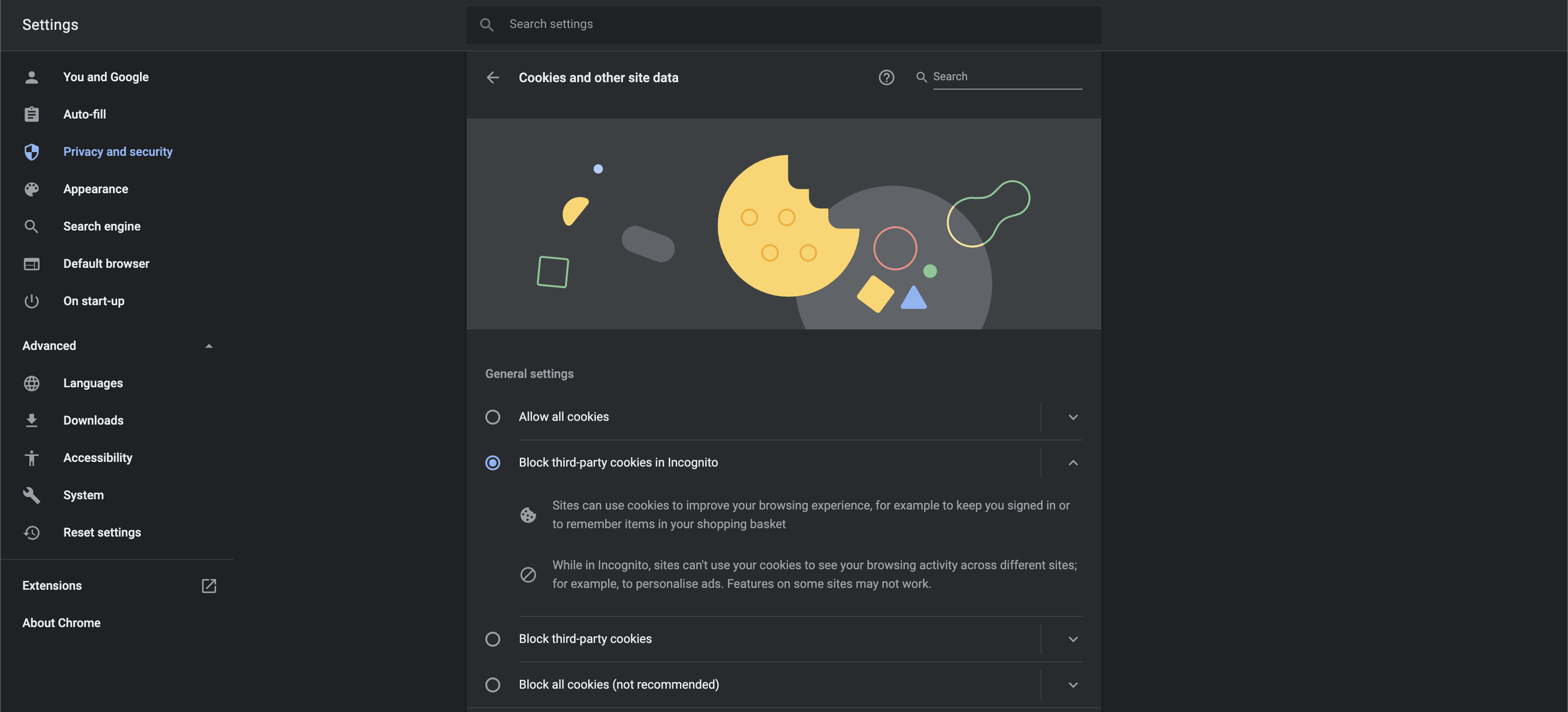
2. In the *Privacy and Security* section, click *Cookies and other site data*
3. Select the option *Allow all cookies* or *Block third-party cookies* in Incognito.