> For the complete documentation index, see [llms.txt](https://docs.notionapps.com/llms.txt). Markdown versions of documentation pages are available by appending `.md` to page URLs; this page is available as [Markdown](https://docs.notionapps.com/workspace-and-account/manage-workspaces.md).
# Manage Workspaces
NotionApps allows you to manage multiple Notion workspaces from a single location. You can link or unlink workspaces and edit pages that NotionApps has permission for within those workspaces Here's how to manage your workspaces in NotionApps:
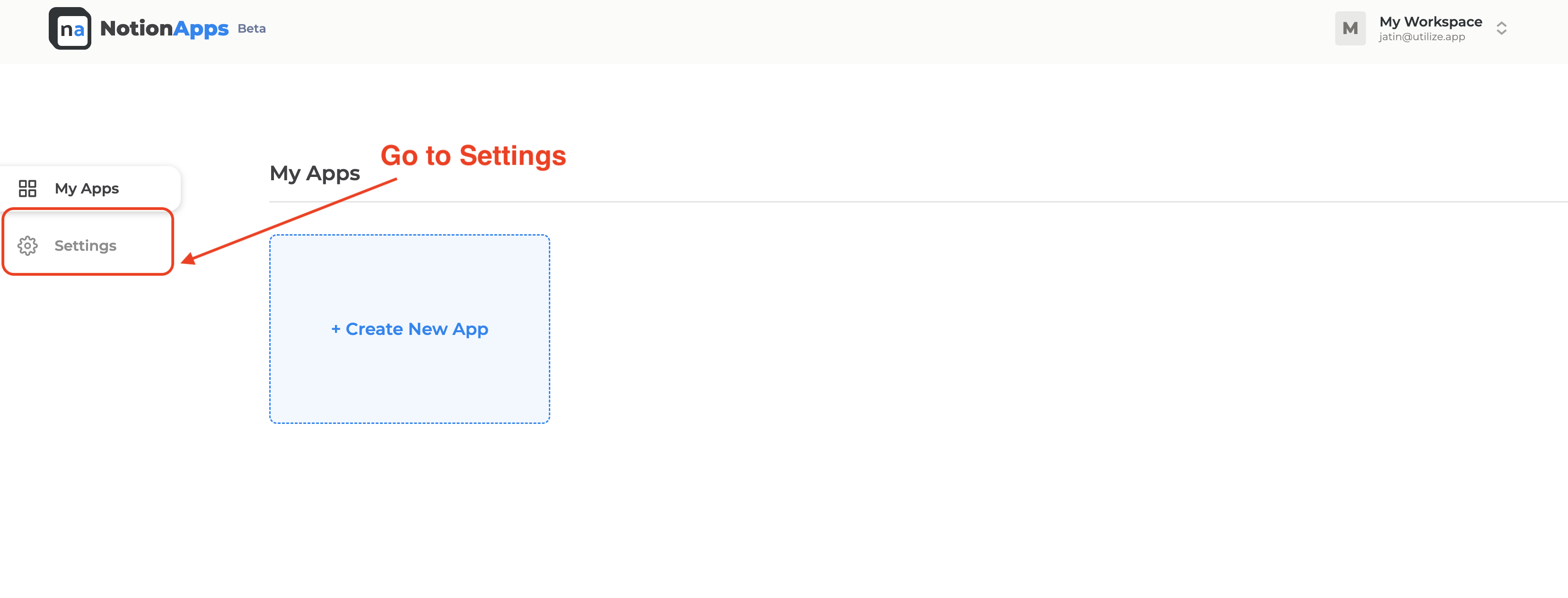
1. Go to the NotionApps homepage.
2. Click on the "Settings" section in the left side panel.
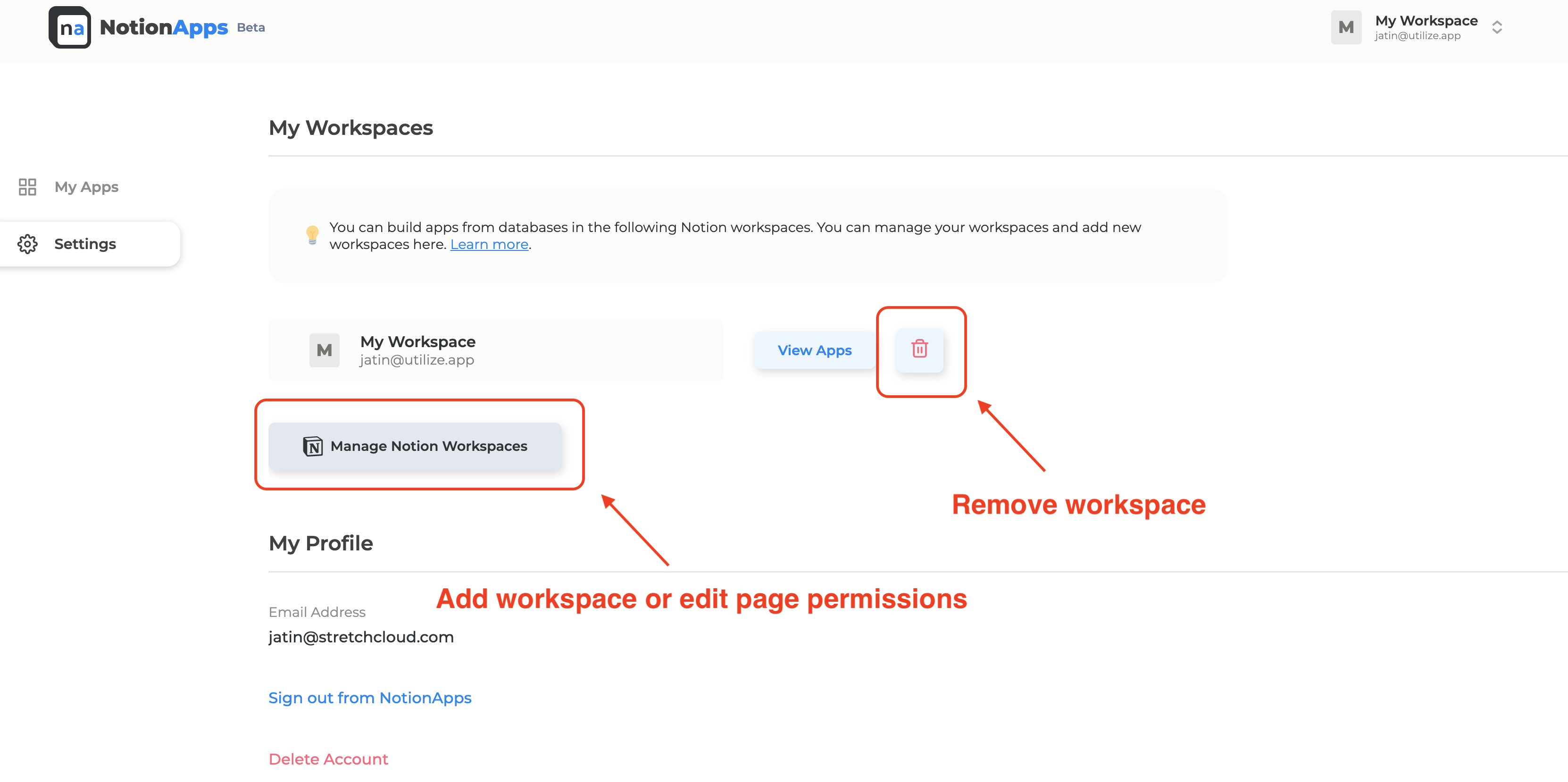
3. To add workspaces or edit pages that NotionApps has permission for within workspaces, click on "Manage Workspaces".
4. To remove a workspace from NotionApps, click on the "Trash" button next to the workspace you want to remove.
With these simple steps, you can easily manage multiple Notion workspace permissions from a single location in NotionApps.