Worked Example: Notification Route
Worked Example: Notification Route
Section titled “Worked Example: Notification Route”Build a notification route when users need to know something happened but do not need to make a formal decision.
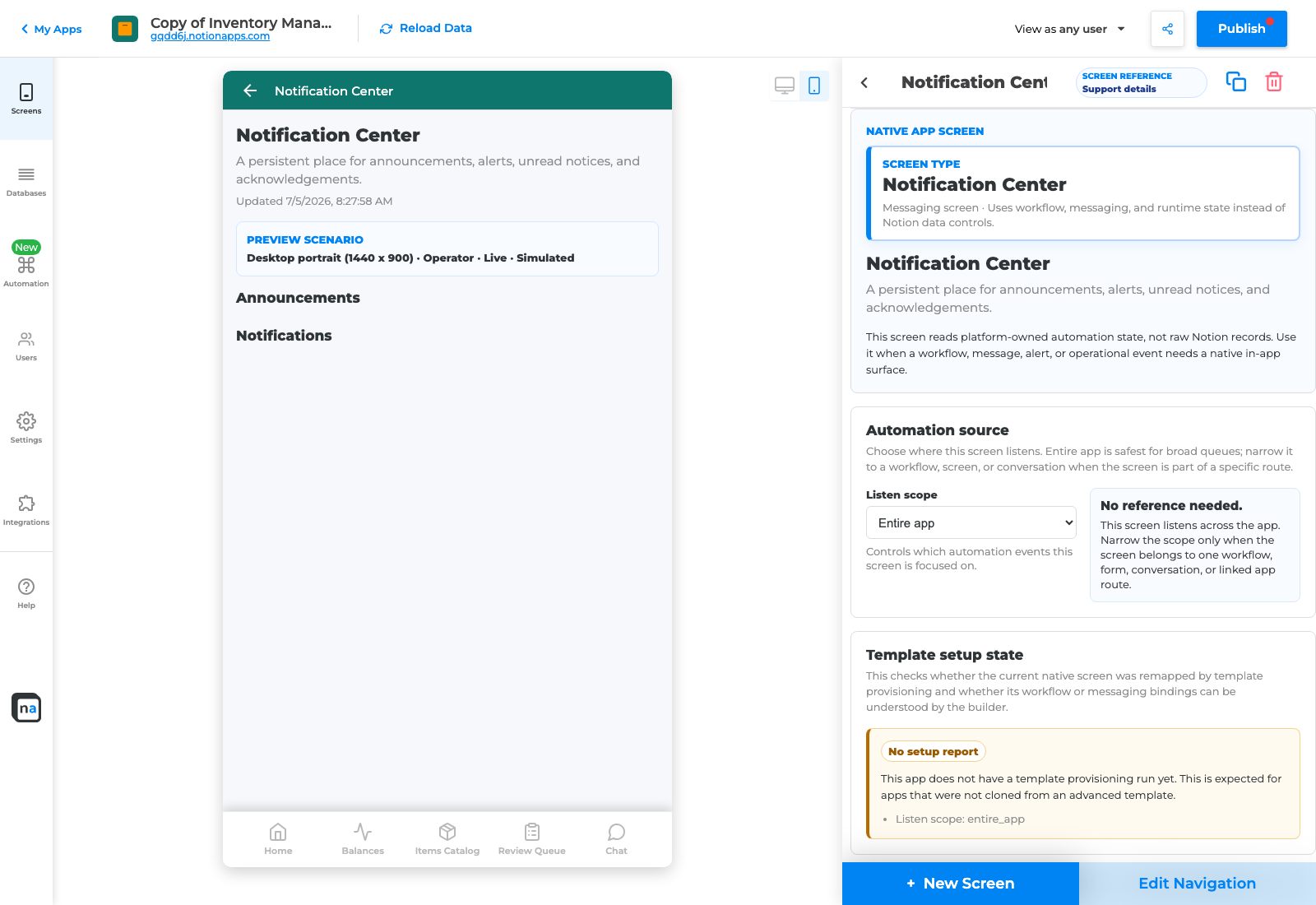
Notification Center screen type.
Scenario
Section titled “Scenario”When a high-priority record is created, notify the assigned owner and show the alert in Notification Center.
Setup steps
Section titled “Setup steps”- Choose the source page.
- Choose the trigger: record created, status changed, or launcher action.
- Choose recipient: owner, assigned user, team, or role.
- Write a message with the record title and expected next step.
- Choose Notification Center as destination.
- Add Workflow Status if the requester needs progress.
- Validate.
- Create a high-priority test record.
- Preview as recipient and confirm the notification appears.
Good message example
Section titled “Good message example”High-priority support request {{Title}} is assigned to you. Open the request and respond before {{Due date}}.
Verification
Section titled “Verification”The route is ready when the recipient sees the notification, understands what to do, opens the related item, and the source record shows the expected status or activity.