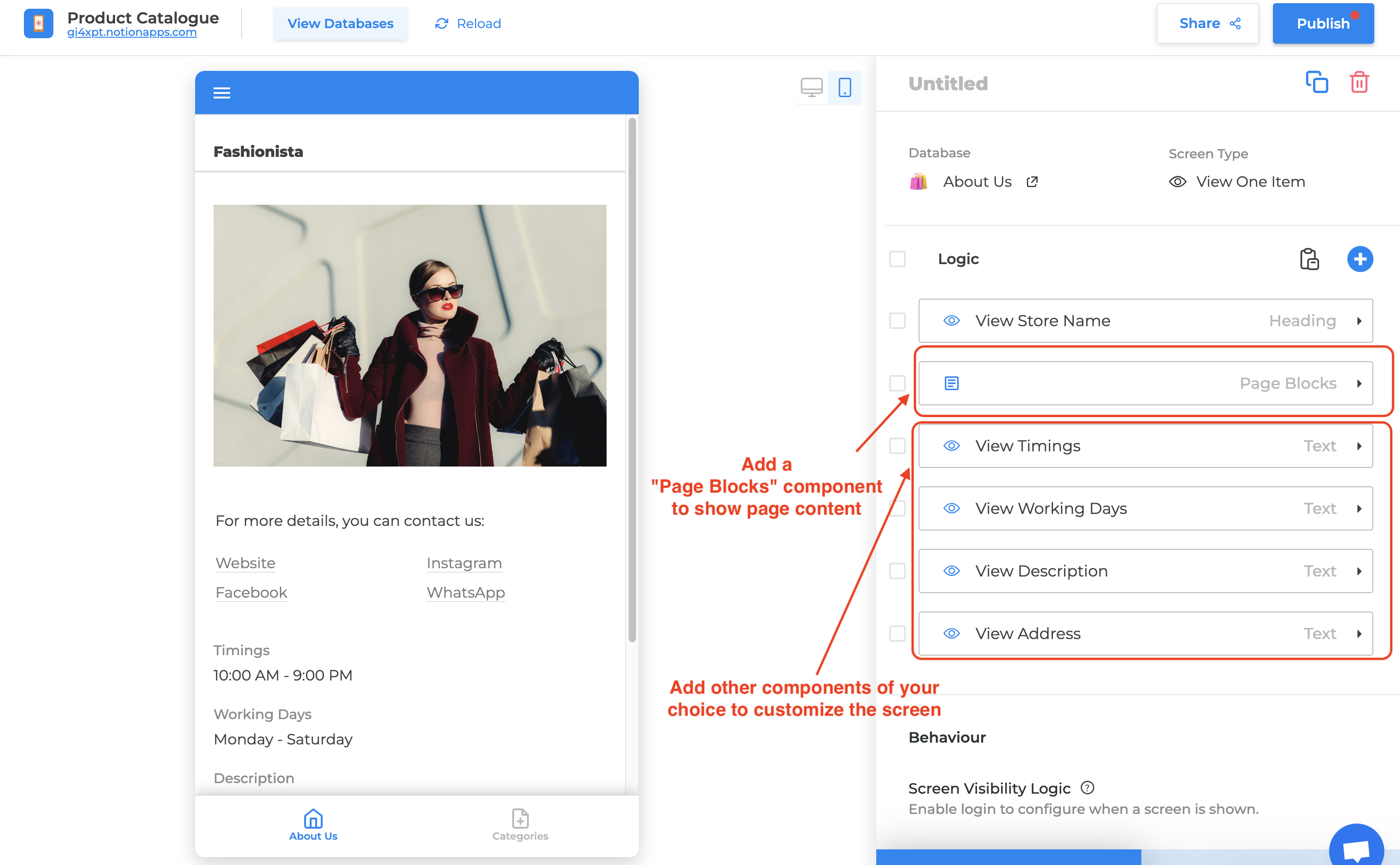
How do I add a Home Page to the app?
To add a website-like home page experience to your application, you can use a combination of our “Details (View One Item)” screen and the “Page Blocks” component.
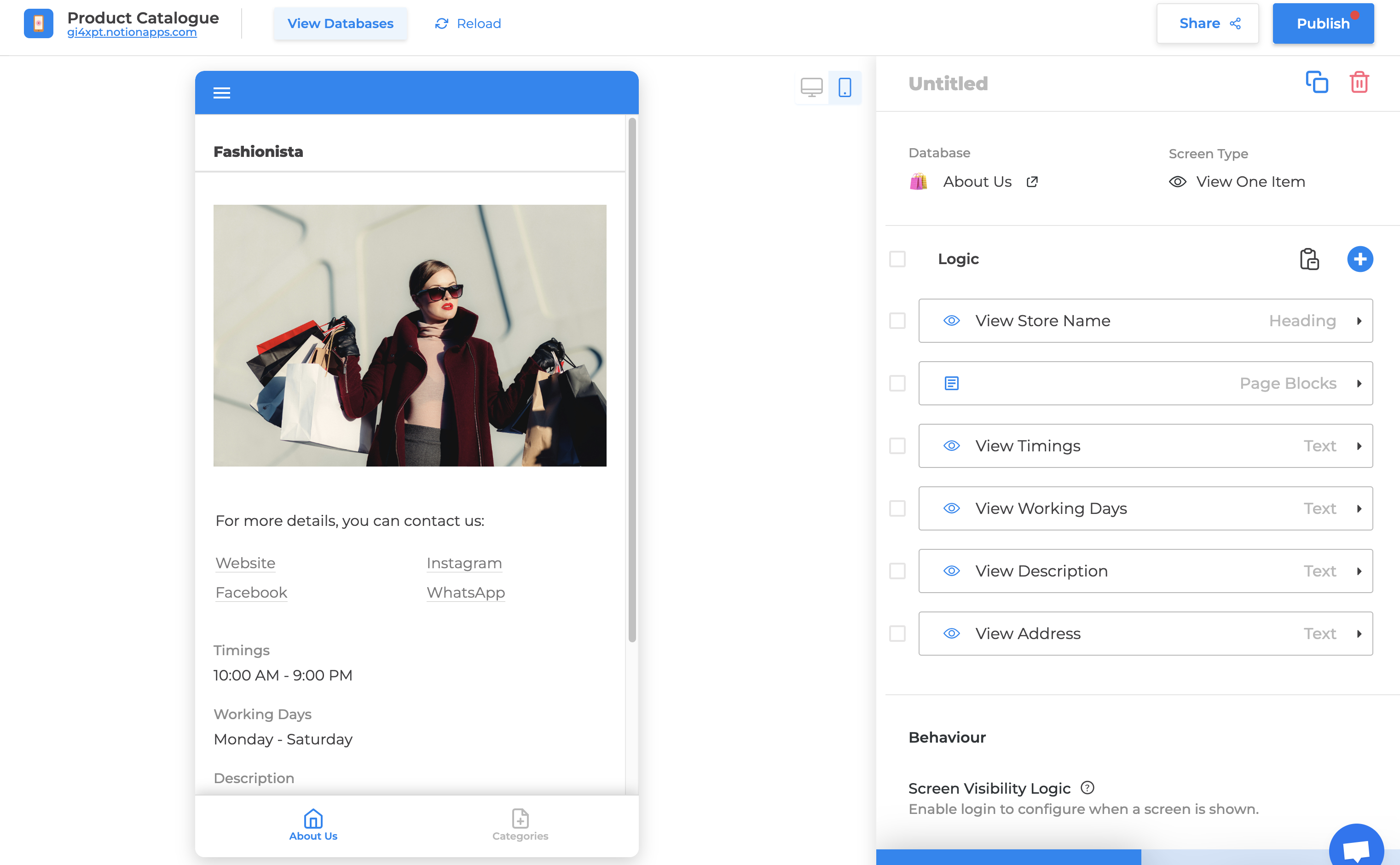
Home Page
Please follow this step-by-step guide to do so:
- Open the app builder
- Create a database with a single page/row with the information that you’d like to display on the Home page.
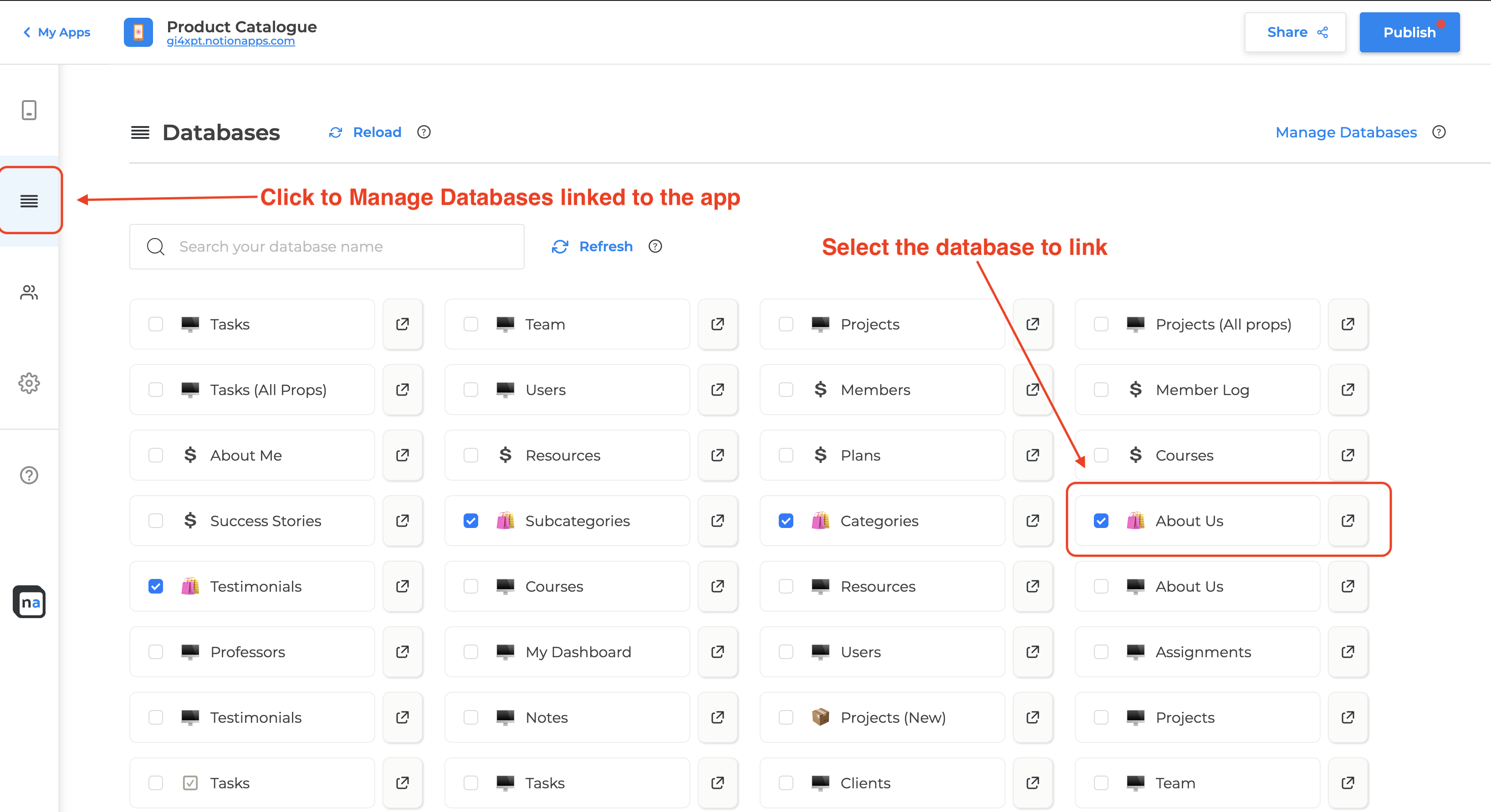
- If this database is not already linked to the application, then go to the “Databases” tab and select this new database.
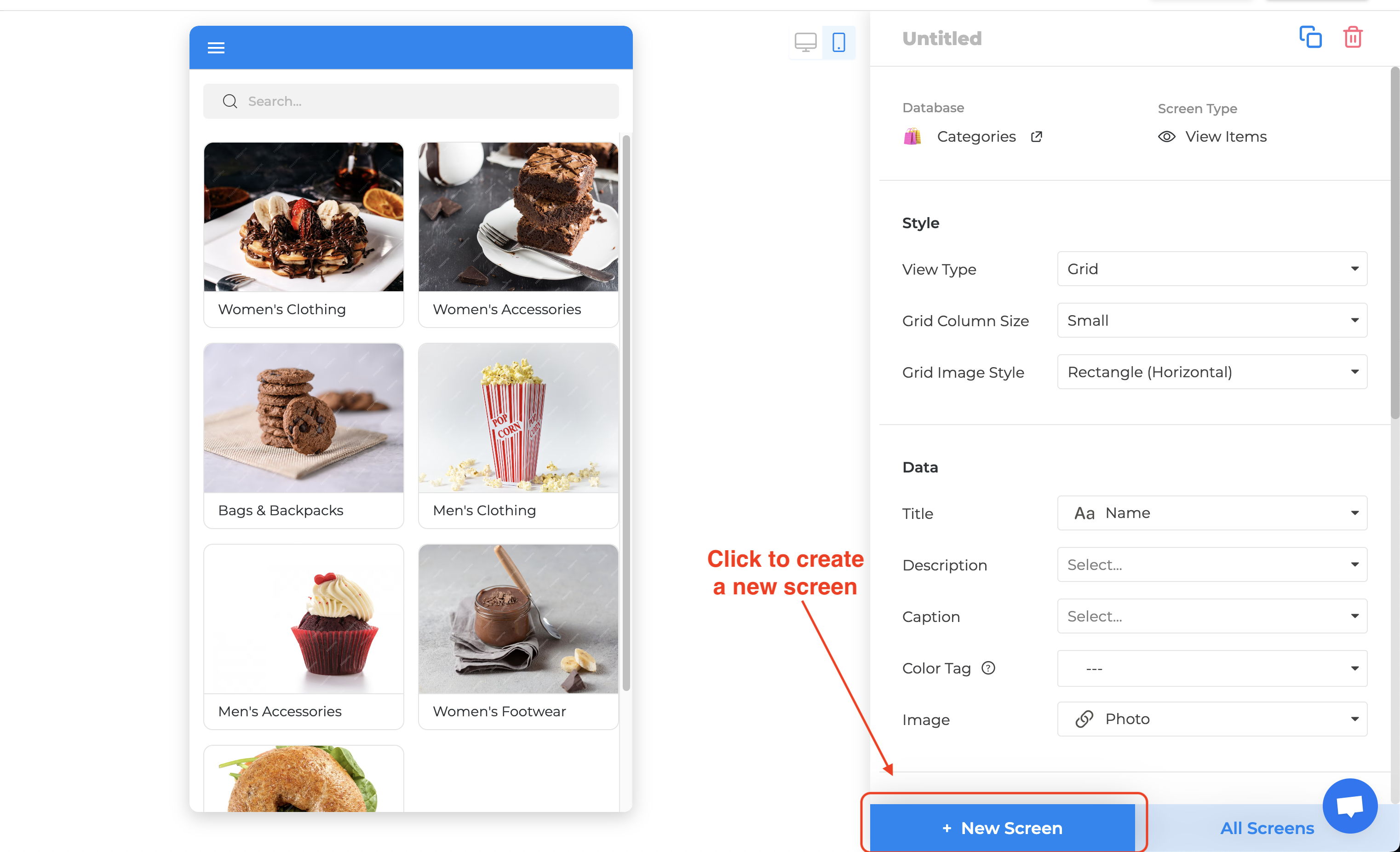
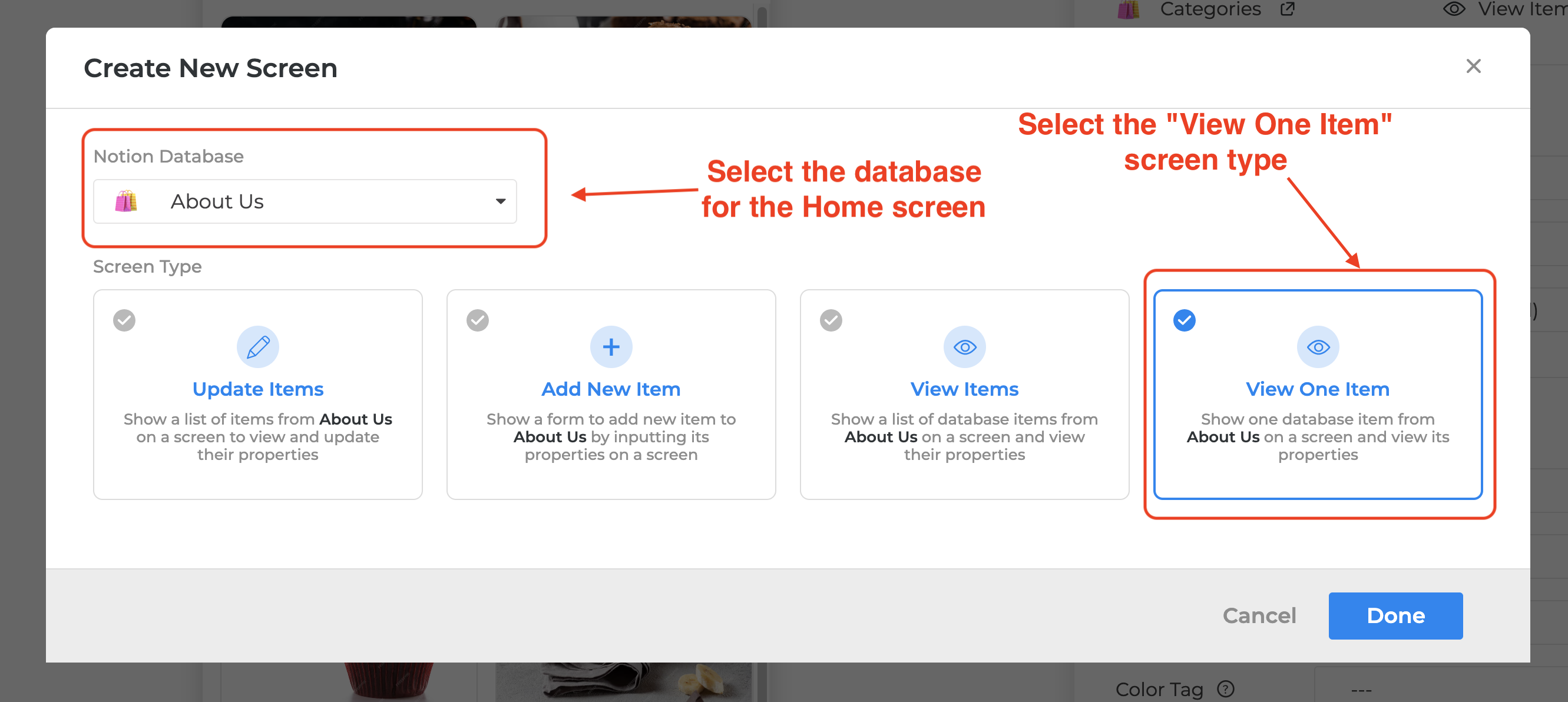
- Create a new screen with this newly linked database with the Screen Type “Details (View One Item)”
- Customize the app using the “Show Page Blocks” and other components.