Signature Component
Signature component in NotionApps allows users to add their signature directly to the database pages/records. It is designed to be user-friendly and reliable.
How to Add the Signature Component
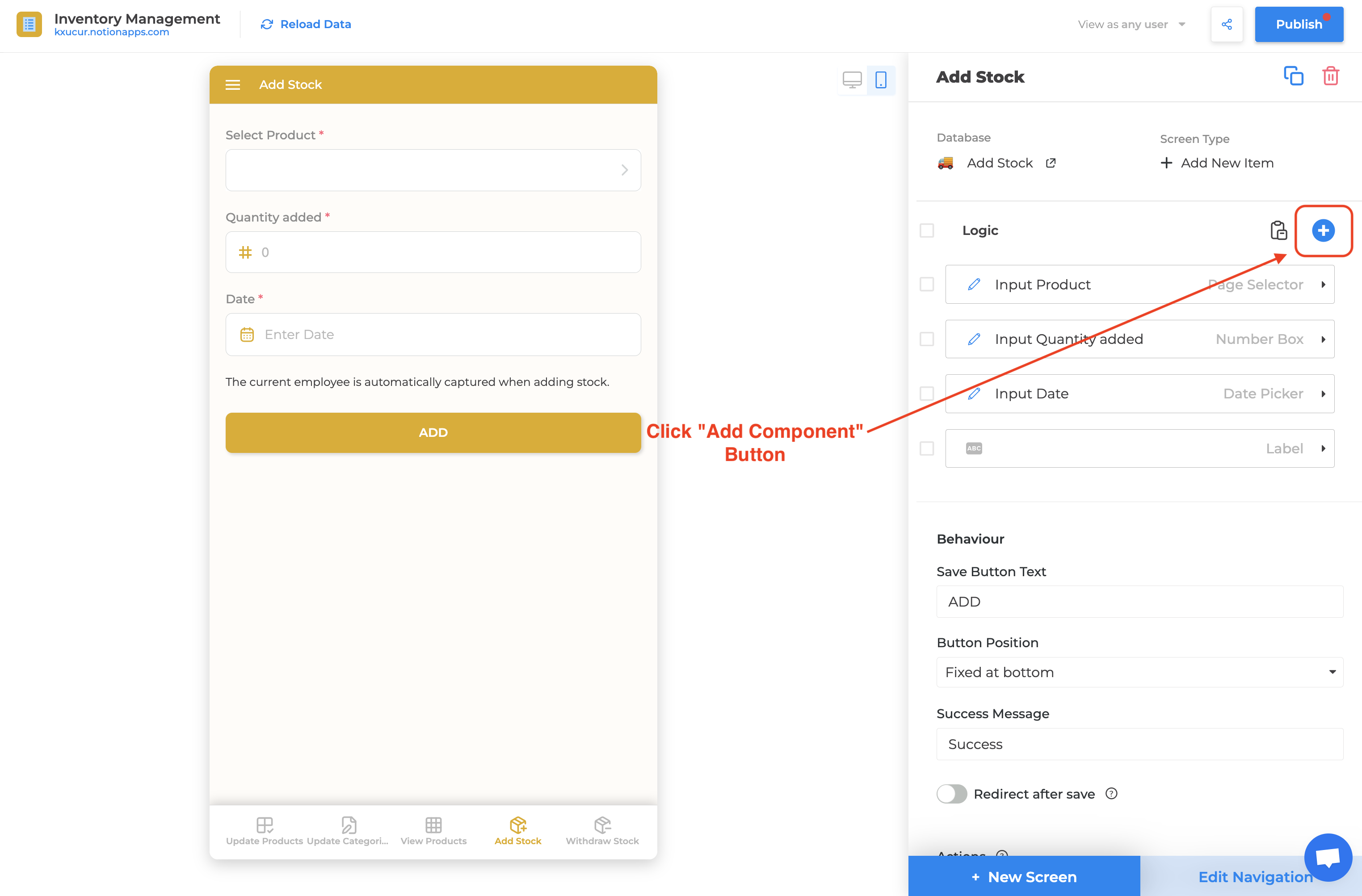
Section titled “How to Add the Signature Component”- Click on the “+” (add component) button in the app builder.
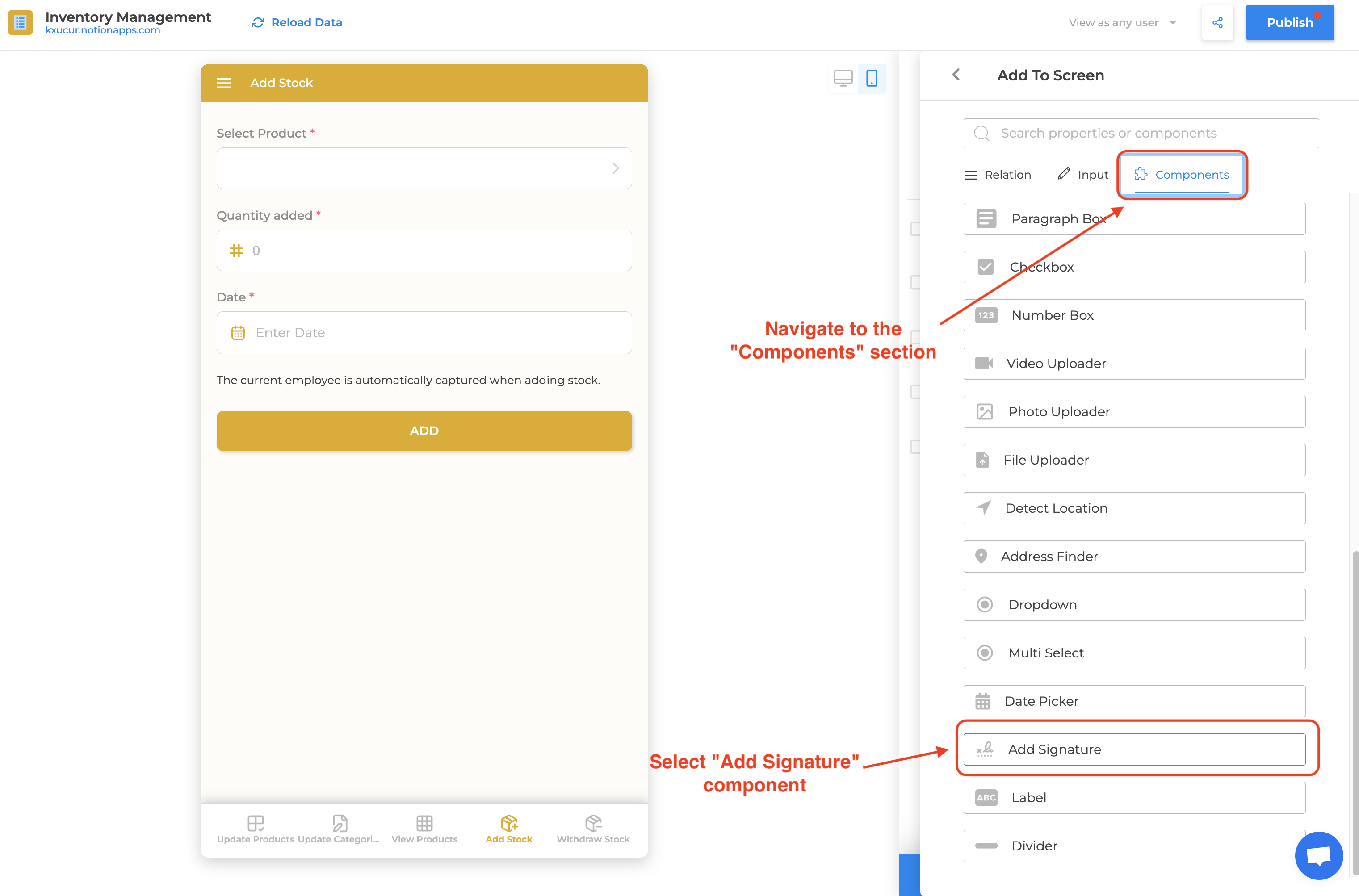
- Navigate to the “Components” section in the popup and select the Signature component.
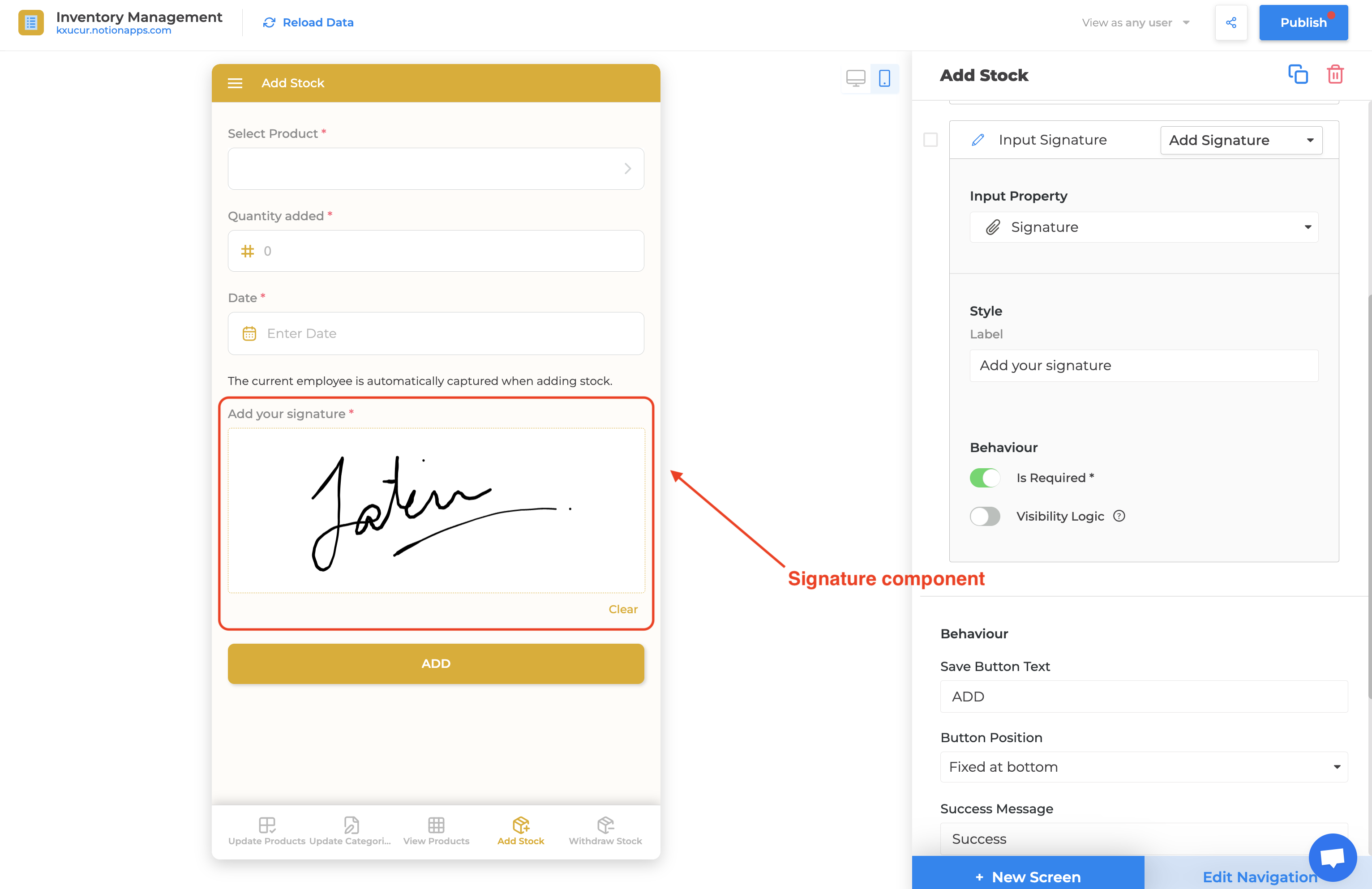
- Select the “Files & Media” Notion database property as the property for the component.
Conclusion
Section titled “Conclusion”The Signature component in NotionApps can help businesses improve accountability of their operations.
- Contract Management: Easily collect signatures for contracts, consent forms directly via your apps.
- Workflow Approvals: Streamline approval processes by integrating signatures for project charters or work orders.
- Feedback and Acknowledgments: Capture feedback or acknowledgment from team members or clients.