Create Users Database
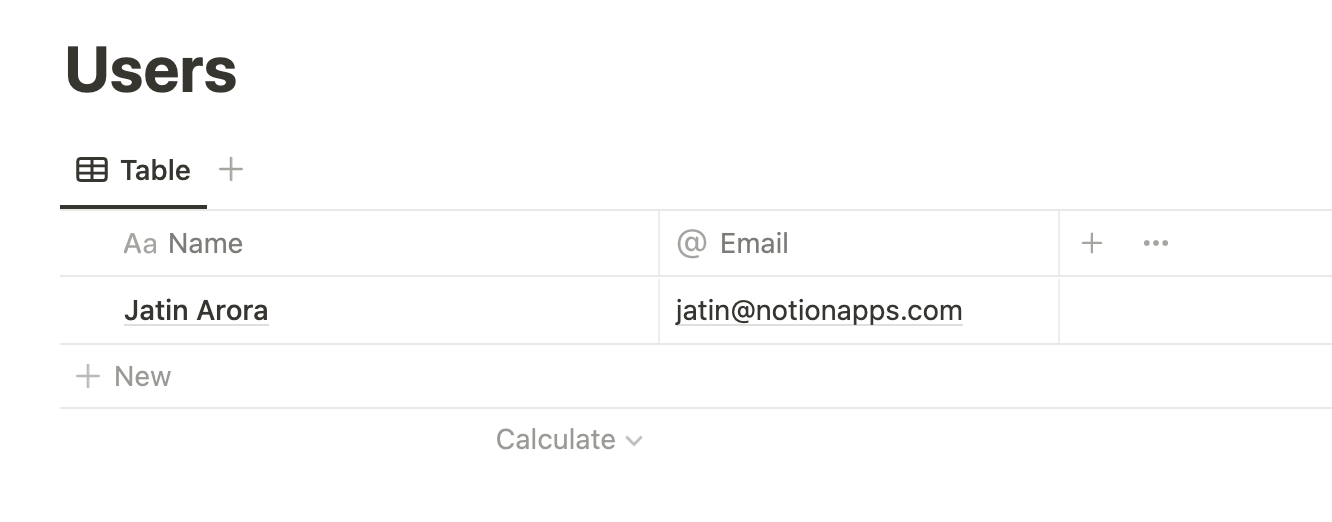
A Users database in NotionApps is a database with two columns, namely Name and Email. To configure a Users database, please follow the steps below:
- Create a database like below on Notion.
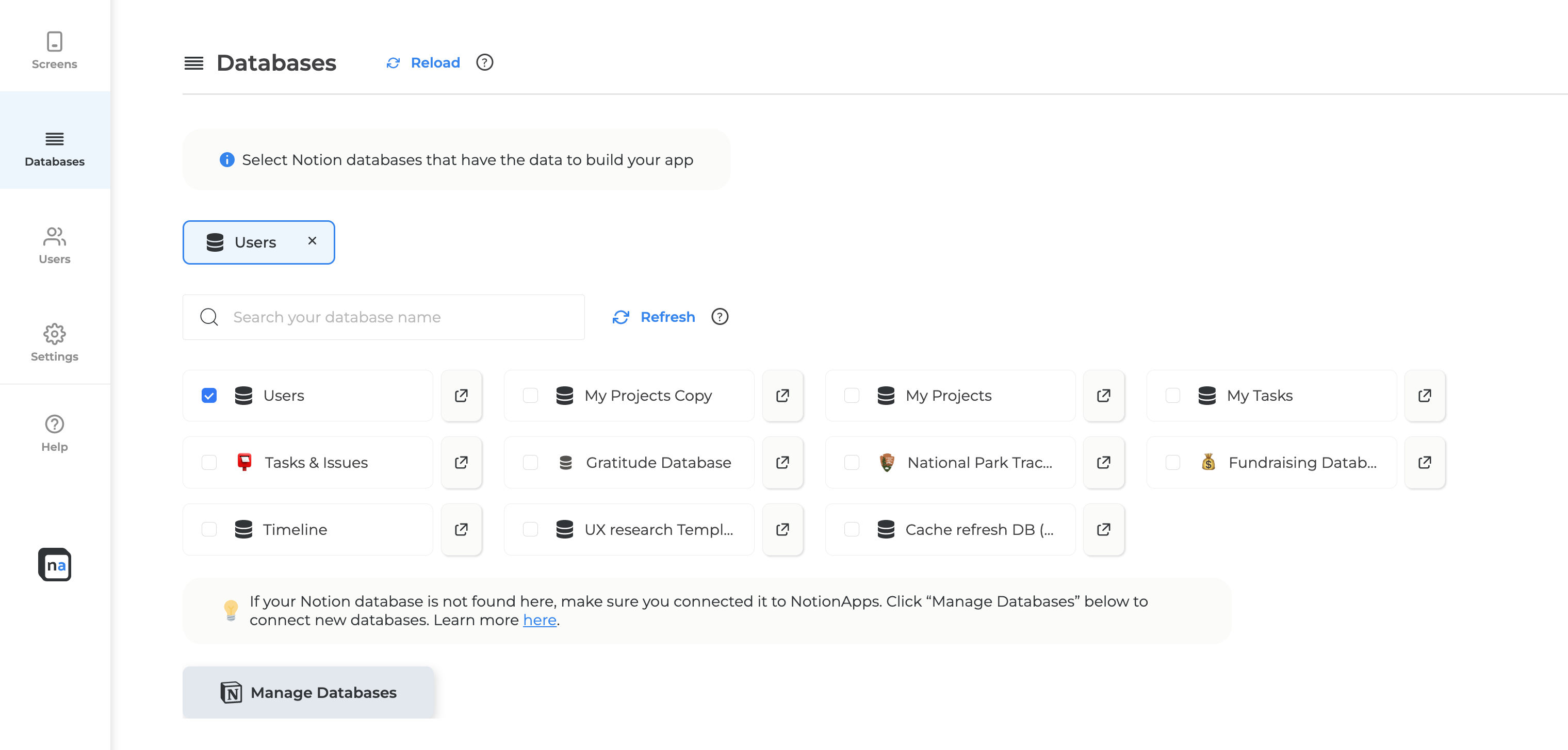
- Go to your app builder’s database settings.
- Click on “Manage Databases” and authorize NotionApps to the newly created Users database.
- Link the newly created database to the application.
- Go to the “Users” tab in the left sidebar of the app settings.
- Click on the “Select Users Database” button and configure your Users settings.
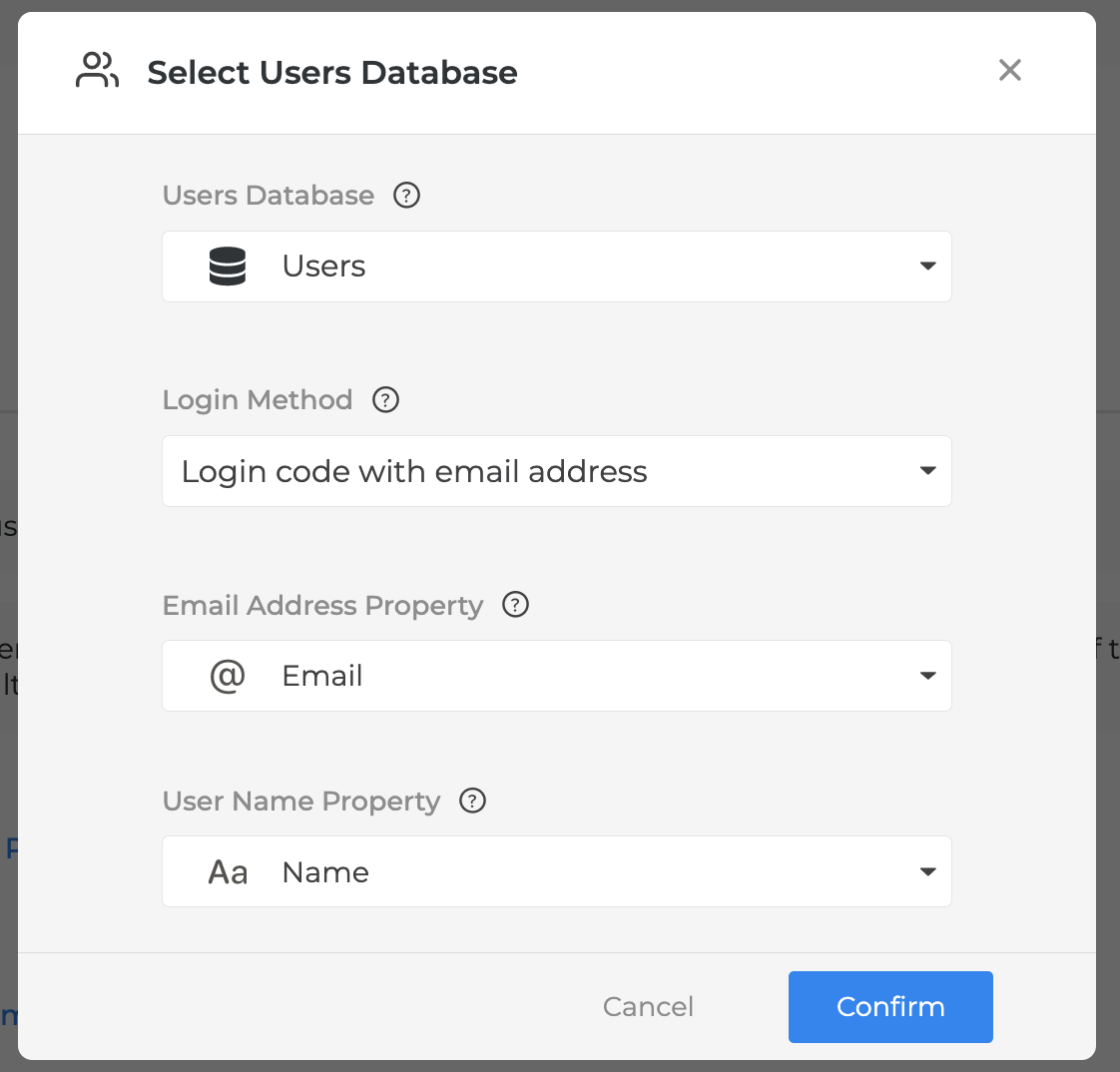
- Press “Confirm”
- Publish your application and all the email addresses in the Users database can access the application.