Builder
Map of the NotionApps builder left rail. Use after Get started.
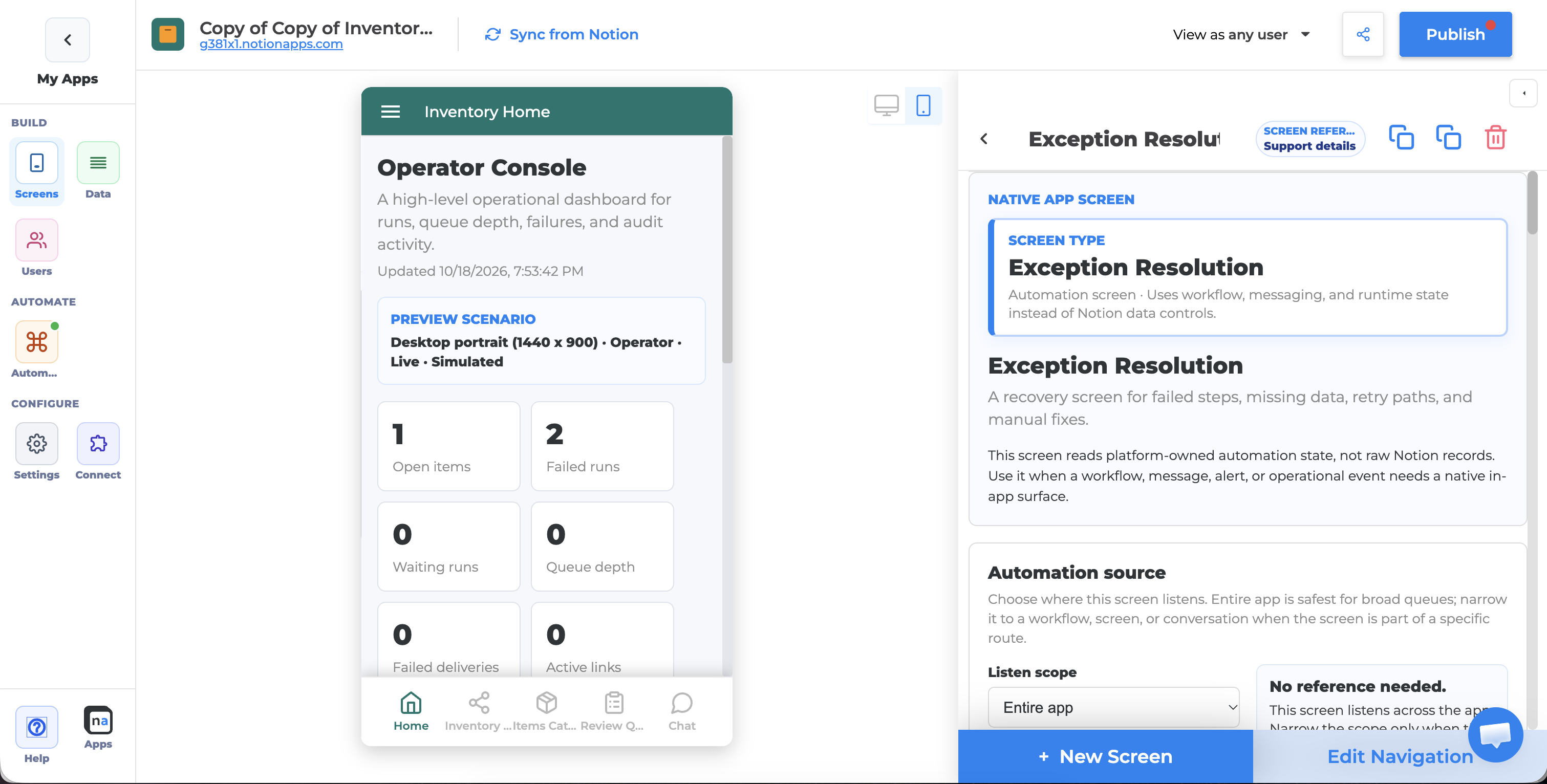
Rail → docs
Rail | Opens in product | Docs |
|---|---|---|
Screens | Screen list, layouts, navigation, components | |
Databases | Linked Notion databases, reload, recovery | |
Users | Public/Private, login, App Users, Identity, Analytics, signup | |
Settings | General, Appearance, Comments, Version History, Data, Advanced | |
Integrations | Google, Email & password, Auth0, Okta, Crisp, Intercom (entitlement-gated) | |
Automation | One Automation entry when entitled (hub inside — not three rail icons) |
Help lives in the rail footer (docs, community, tour, zoom) — not a main rail destination.
Recommended maker order
Screens — List + Details (+ Create Form when needed)
Databases — confirm links + reload after Notion changes
Settings — name, URI, theme
Users — when the app must be Private / personalized
Integrations — when you need extra login buttons or chat widgets
Automation — only after the data path works
Plans and entitlements — when a control is missing