Worked Example: Purchase Approval Workflow
Worked Example: Purchase Approval Workflow
Section titled “Worked Example: Purchase Approval Workflow”Build a procurement approval app where an employee creates a purchase request, submits it, a reviewer decides from a Decision screen, and the requester sees the final status.
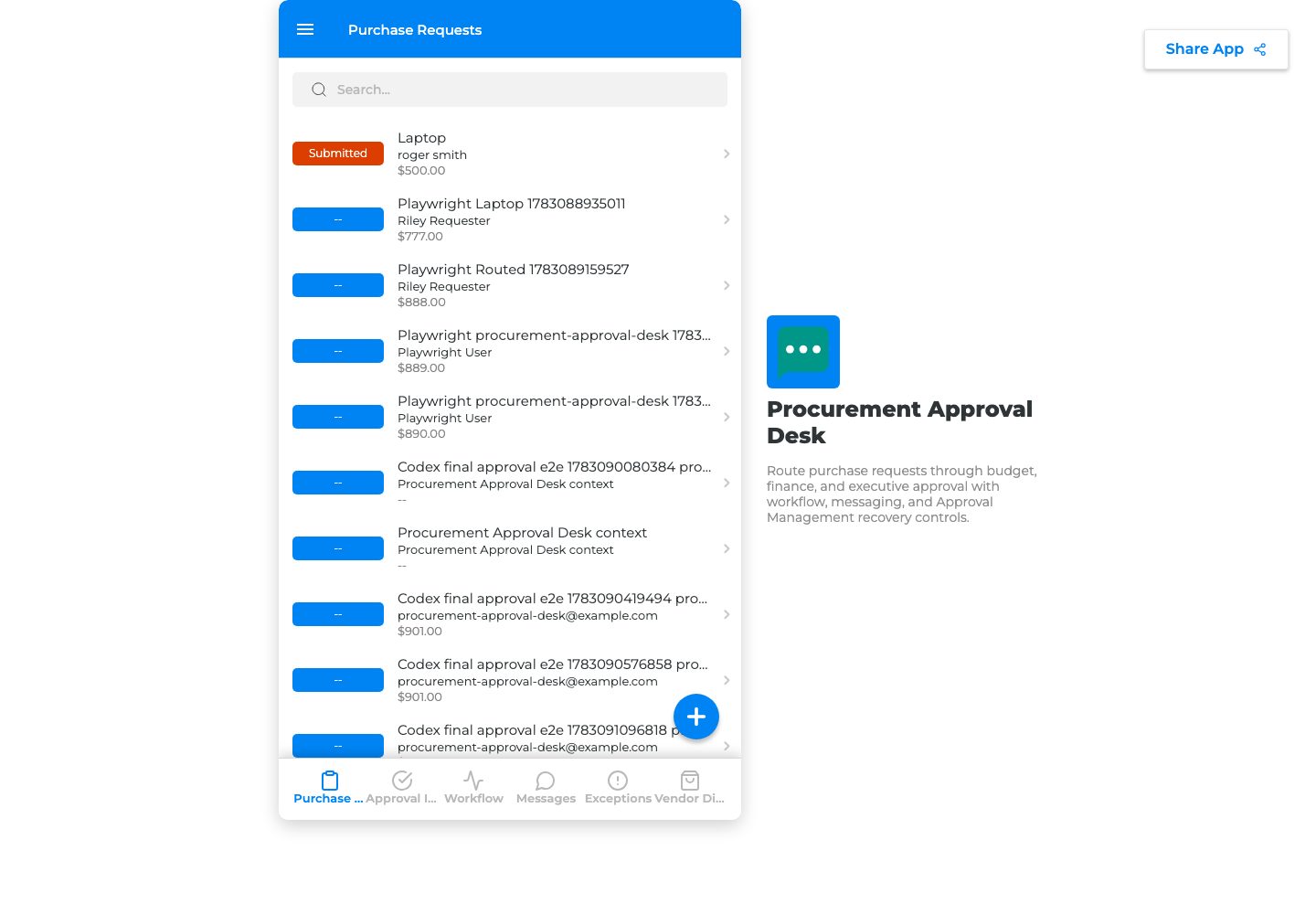
Purchase Requests is the source data page.
Data model
Section titled “Data model”Use these fields: Request title, Requester, Department, Vendor, Amount, Reason, Needed by, Reviewer, Status, Decision notes.
Use these statuses: Draft, Submitted, Waiting for review, Approved, Rejected, Needs changes, Canceled.
Workflow setup
Section titled “Workflow setup”- Open Automation.
- Choose Approval workflow.
- Set When this happens to the Purchase Requests Submit action.
- Set submitted status to the exact value the button writes.
- Choose Reviewer field or Supervisor role.
- Choose Decision as the reviewer screen.
- Add Workflow Status for requester visibility.
- Add Notification Center for reviewer and requester messages.
- Map Approve to Approved.
- Map Reject to Rejected.
- Map Request changes to Needs changes.
- Add exceptions for missing reviewer, missing reason, missing amount, failed message, and permission issue.
- Save and validate.
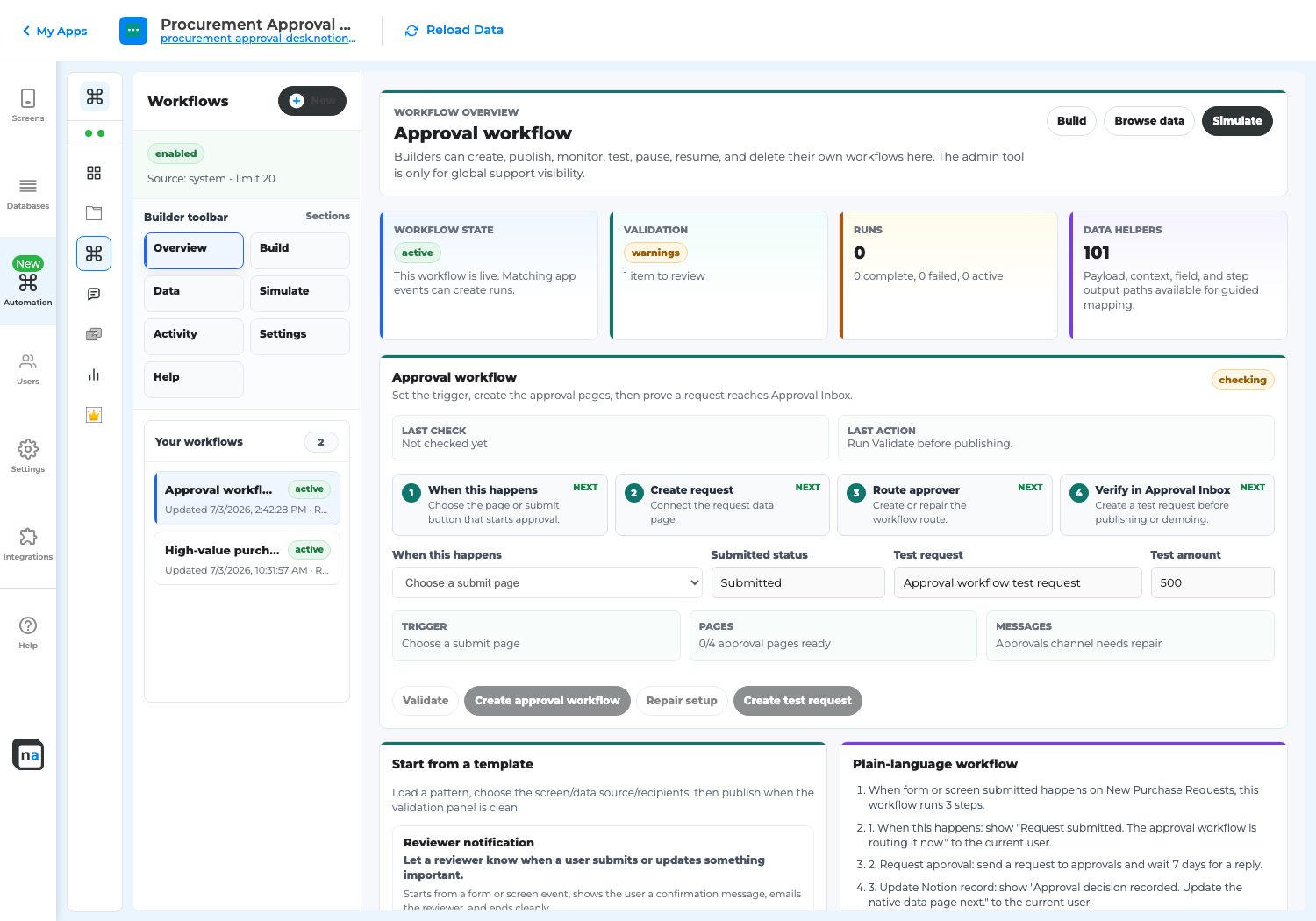
Purchase approval workflow setup.
End-to-end test
Section titled “End-to-end test”- Preview as requester.
- Create Laptop replacement for field team.
- Set Amount to 500.
- Add Reason: Existing field laptop is failing and blocks customer visits.
- Click Submit.
- Confirm status is Submitted or Waiting for review.
- Preview as reviewer.
- Open Decision.
- Confirm the request appears.
- Open it and review amount, reason, requester, vendor, and due date.
- Approve it.
- Preview as requester.
- Confirm the status is Approved.
- Check Exception Resolution.
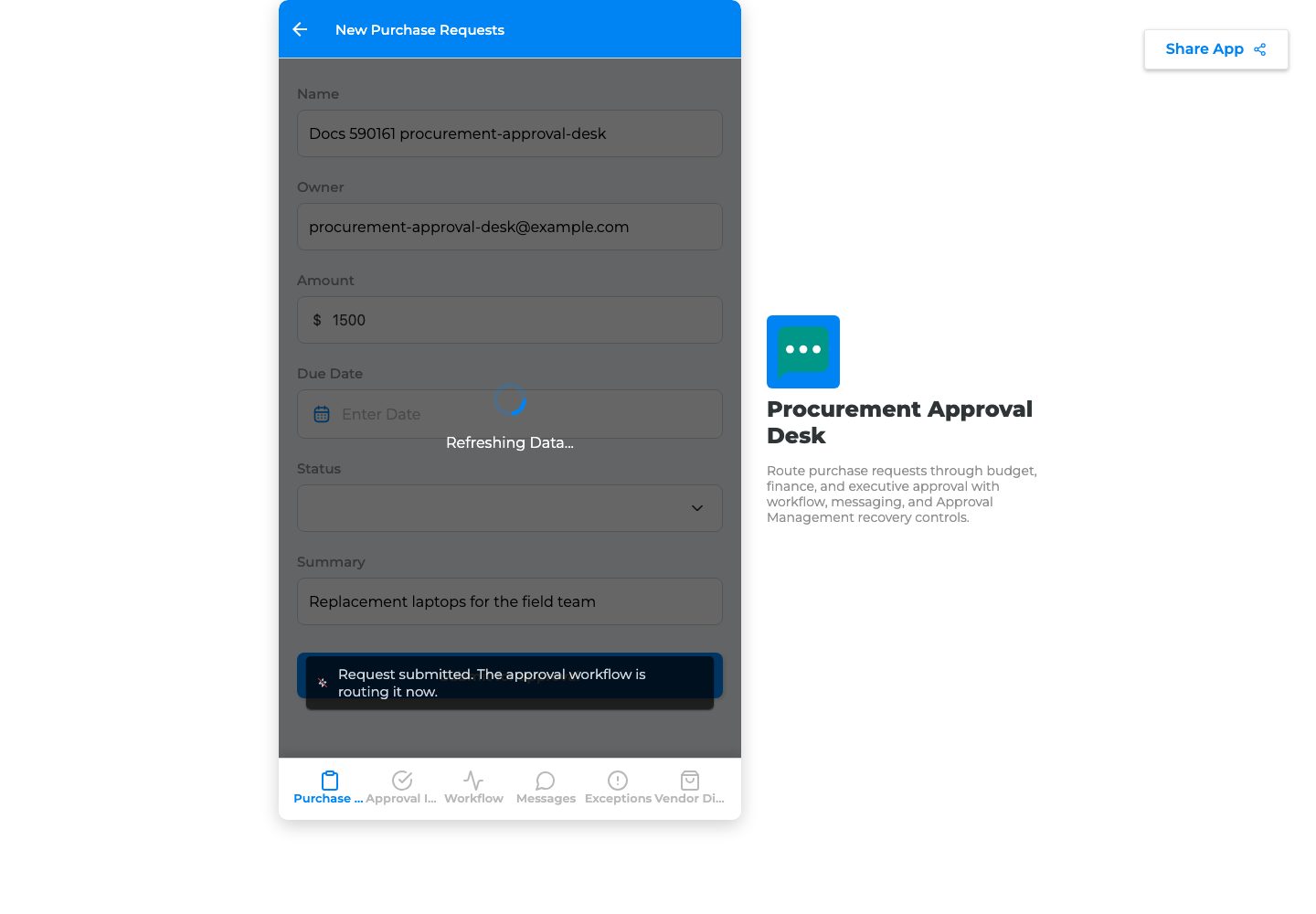
Submitted request state.
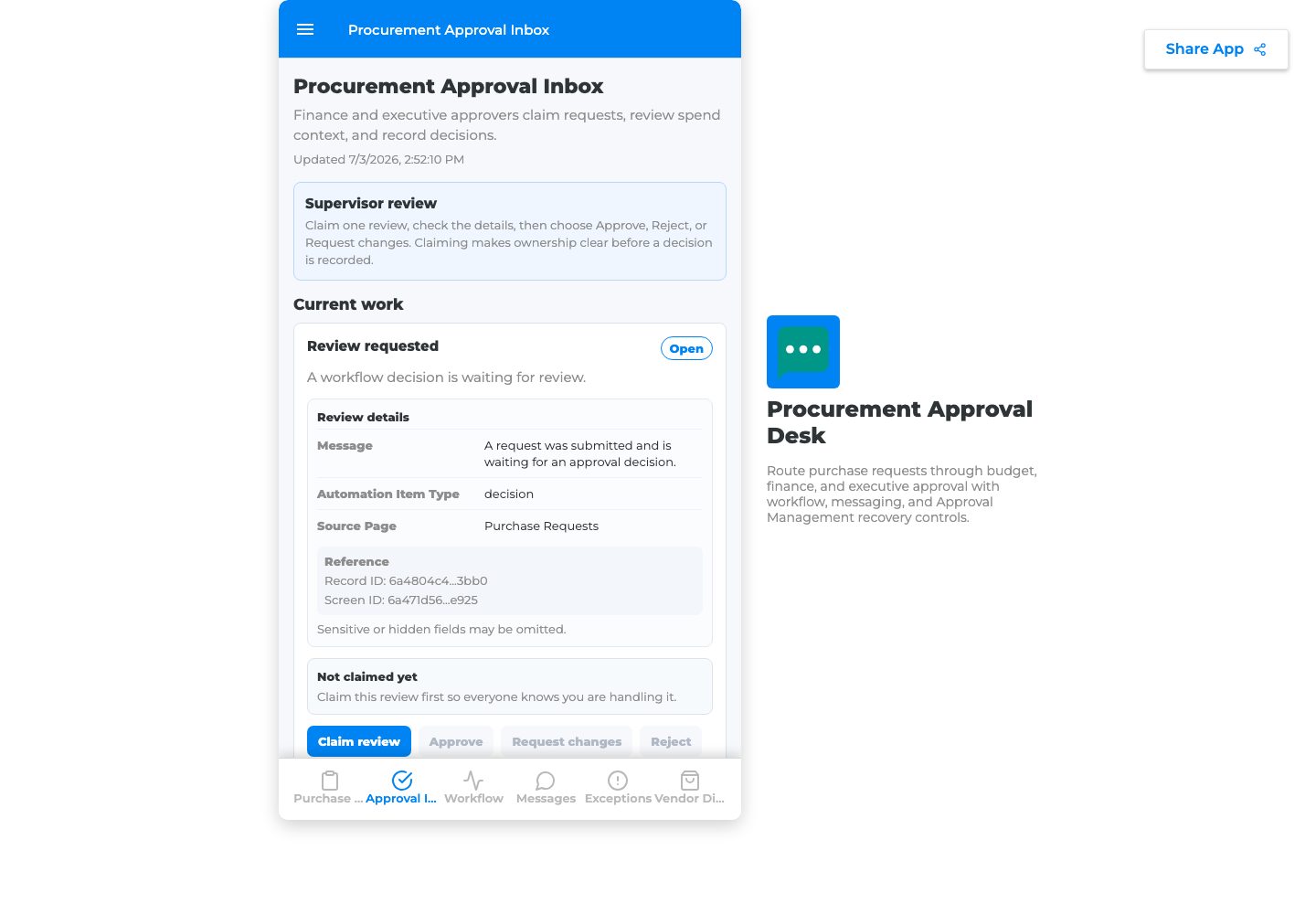
Reviewer detail state.
Troubleshooting
Section titled “Troubleshooting”| Symptom | Fix |
|---|---|
| Submit saves but nothing routes | Reconnect When this happens to the real Submit action. |
| Reviewer cannot see it | Check reviewer rule, Decision screen visibility, and source record access. |
| Decision button does nothing | Map decision actions to source statuses. |
| Requester cannot see result | Add source status update or Workflow Status. |