Board Layouts and Details Polish
Board Layouts and Details Polish
Section titled “Board Layouts and Details Polish”Board Layouts and Details Polish
Section titled “Board Layouts and Details Polish”Use Board list layouts with drag-and-drop Status/Select updates, plus Details polish components: Metric Card, Select badges, Media Gallery, Status Timeline, and Unique ID Chip.
What’s included
Section titled “What’s included”| Capability | Where it lives | One-line outcome | Deep dive |
|---|---|---|---|
| Board view | List → Appearance → Board | Kanban columns from grouping | Board List View |
| Board drag and drop | Board + Status/Select grouping | Drag card → updates Notion | Same guide |
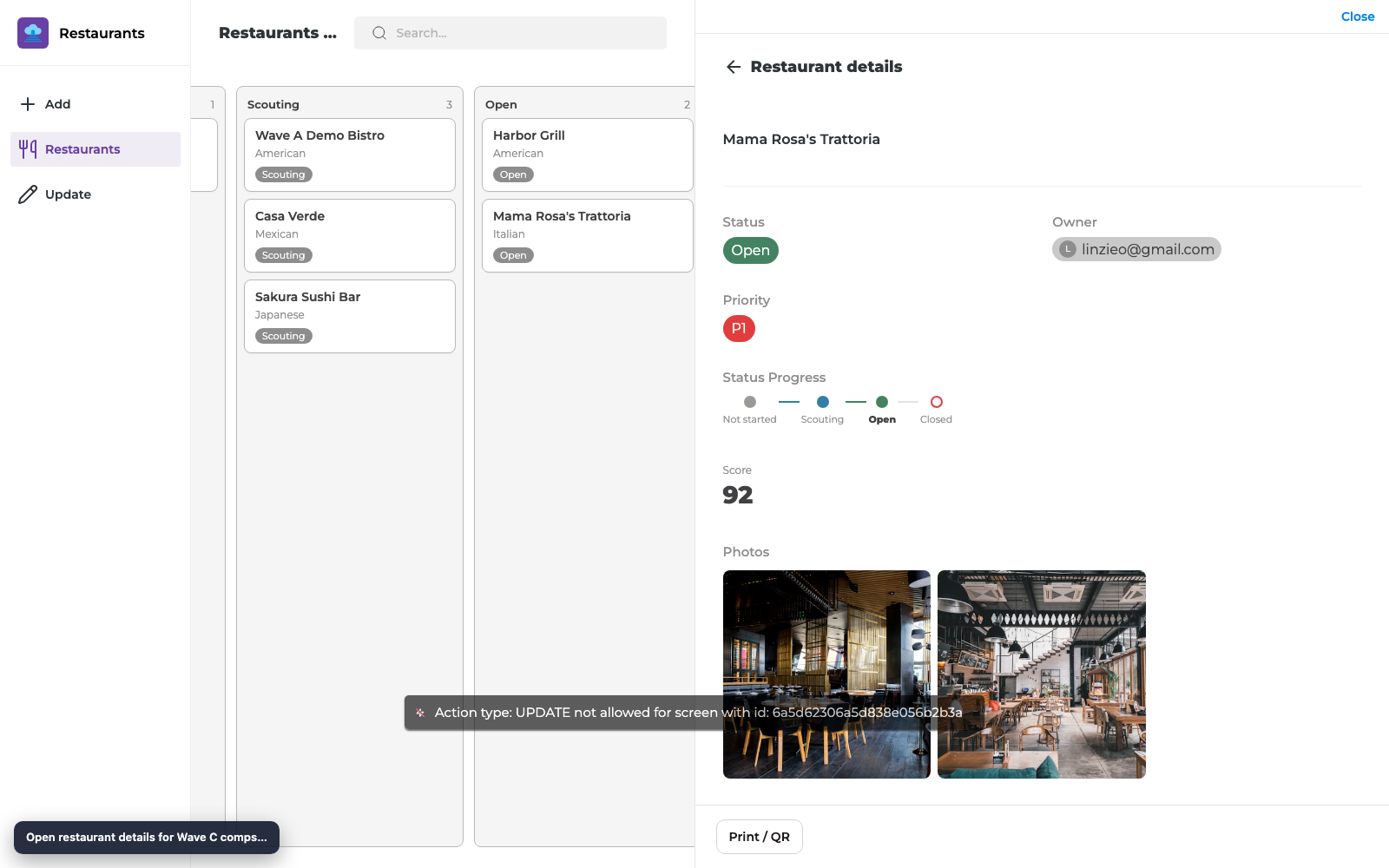
| Metric Card | Details (view comp) | Large number / formula / rollup | Metric Card |
| Select badges | List tags + Details chips | Notion Select colors | Select Option Badges |
| Media Gallery | Details (view comp) | Files thumbnails + lightbox | Media Gallery |
| Status Timeline | Details (view comp) | Horizontal Status lifecycle | Status Timeline |
| Unique ID Chip | Details (view comp) | Monospace Unique ID (e.g. RST1) |
Unique ID Chip |
Board columns from Status.Drag to update Notion.Details show metrics, media, timeline, and IDs clearly.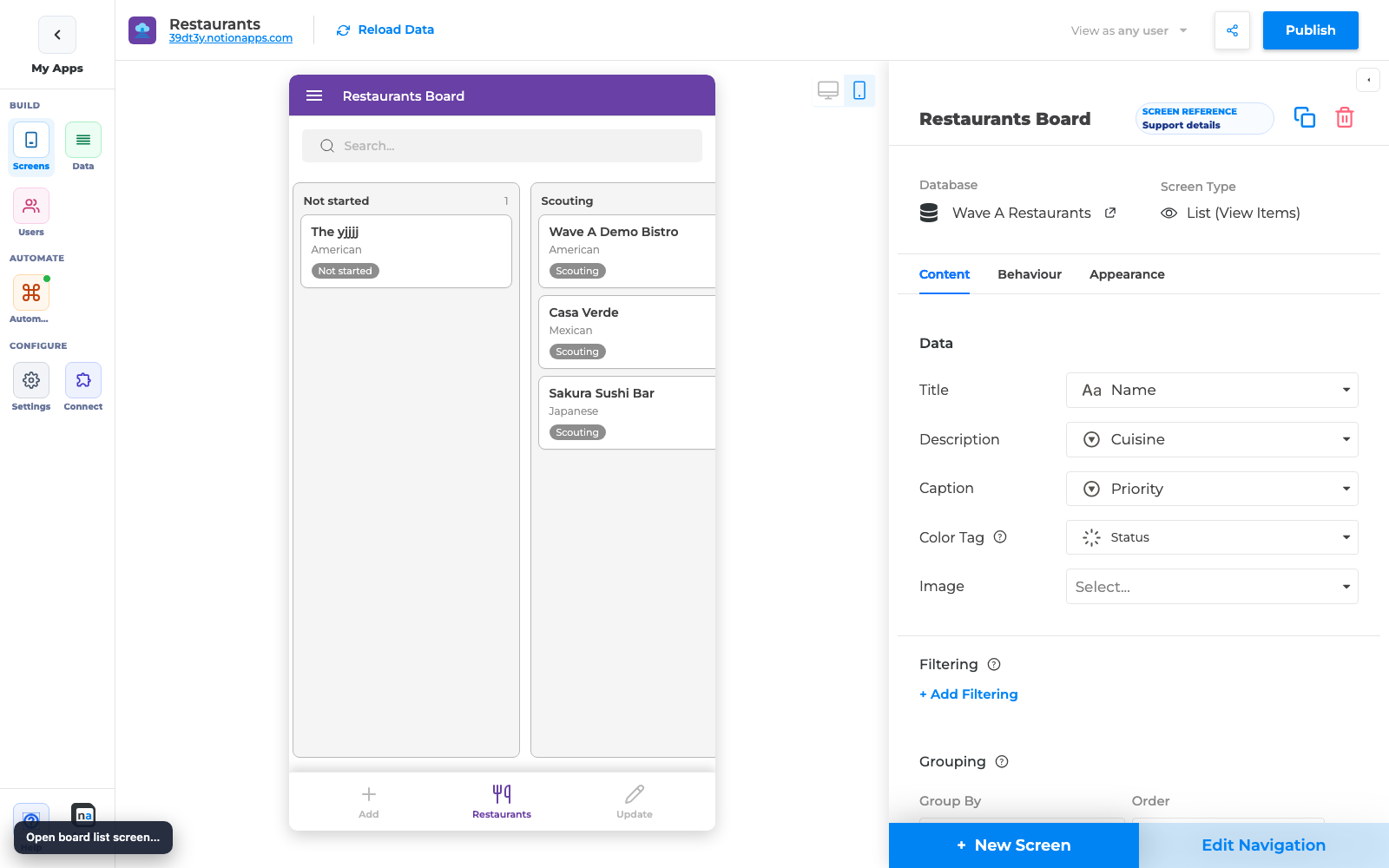
Before you start
Section titled “Before you start”- A Notion database with Status and/or Select, plus optional number/files/unique_id fields
- List + Details screens for that database
- Ability to Reload Data and Publish
Path A — Ship a Board list
Section titled “Path A — Ship a Board list”A1. Set view type to Board
- Open the List screen.
- Set View type to Board.
- Enable Grouping on Status or Select.
- Confirm columns in preview.
A2. Turn on drag writes
- Ensure multi-row update / field editability allows writing the grouping field.
- Drag a card between columns in preview.
- Publish and drag again in the live app; confirm Notion.
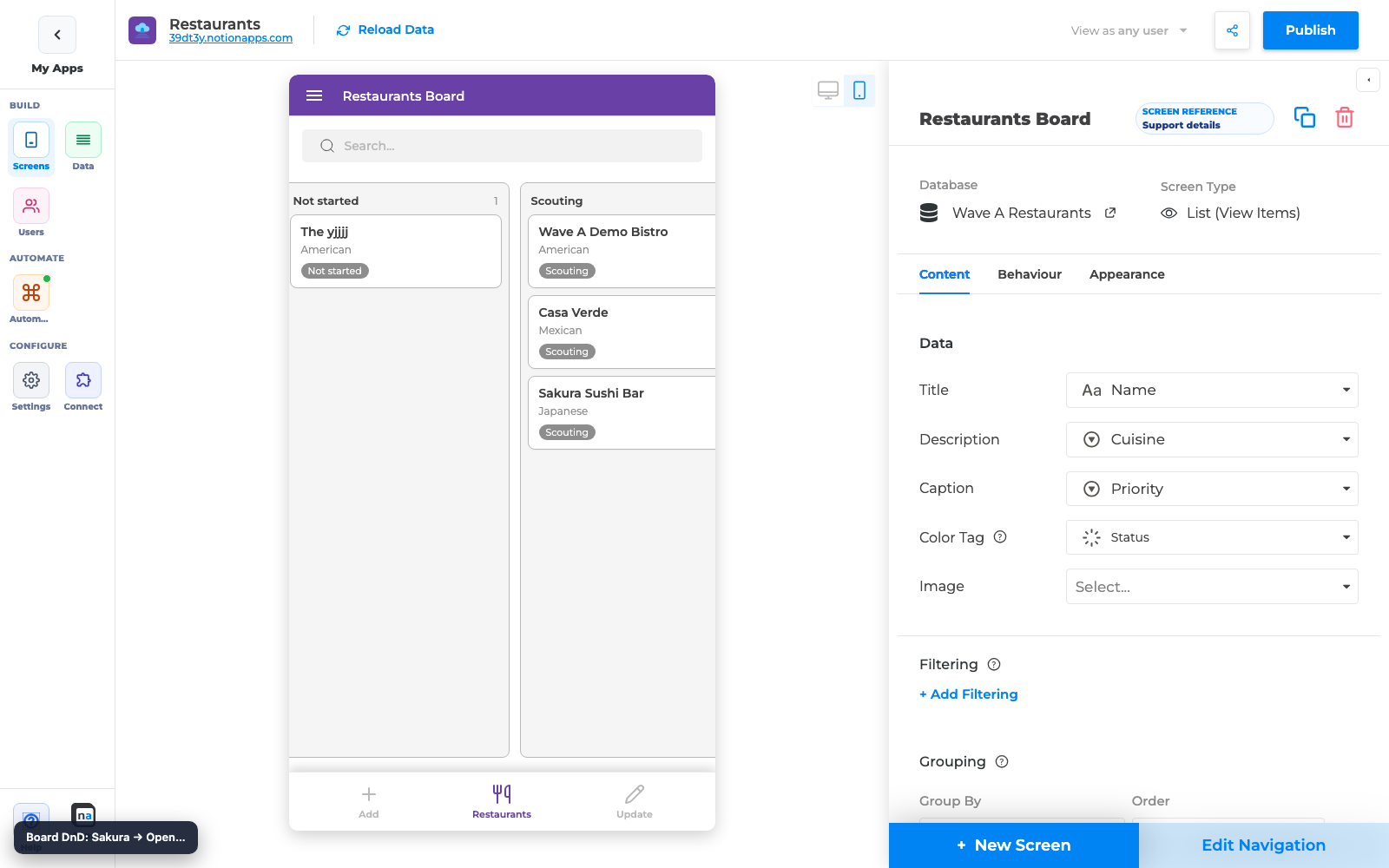
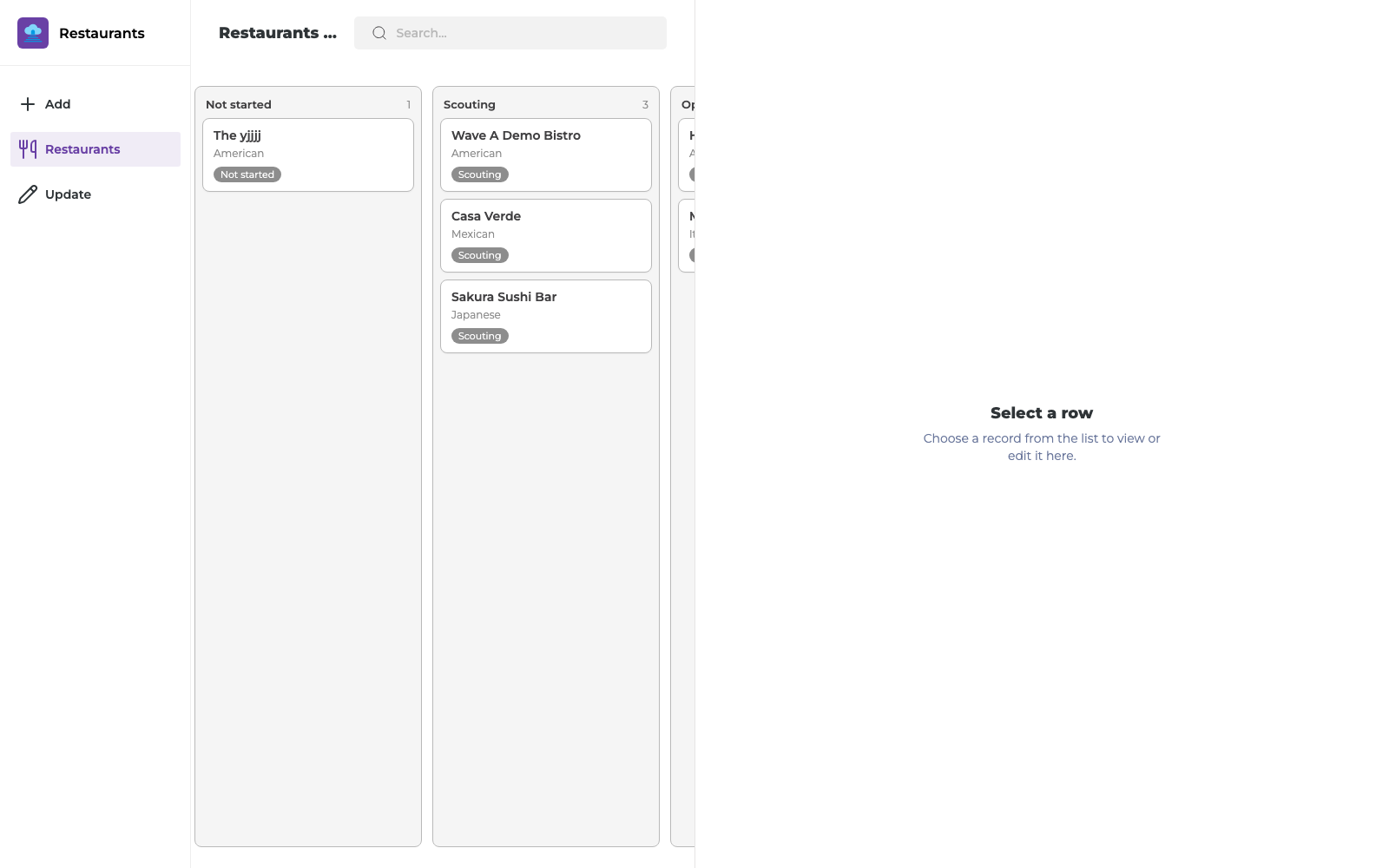
Full steps: Board List View.
Path B — Polish Details
Section titled “Path B — Polish Details”Add any combination of:
- Metric Card → number / formula / rollup (guide)
- Status Timeline → Status field (guide)
- Media Gallery → files field (guide)
- Unique ID Chip → unique_id field (guide)
- Confirm Select badges / Status chips use Notion colors (guide)
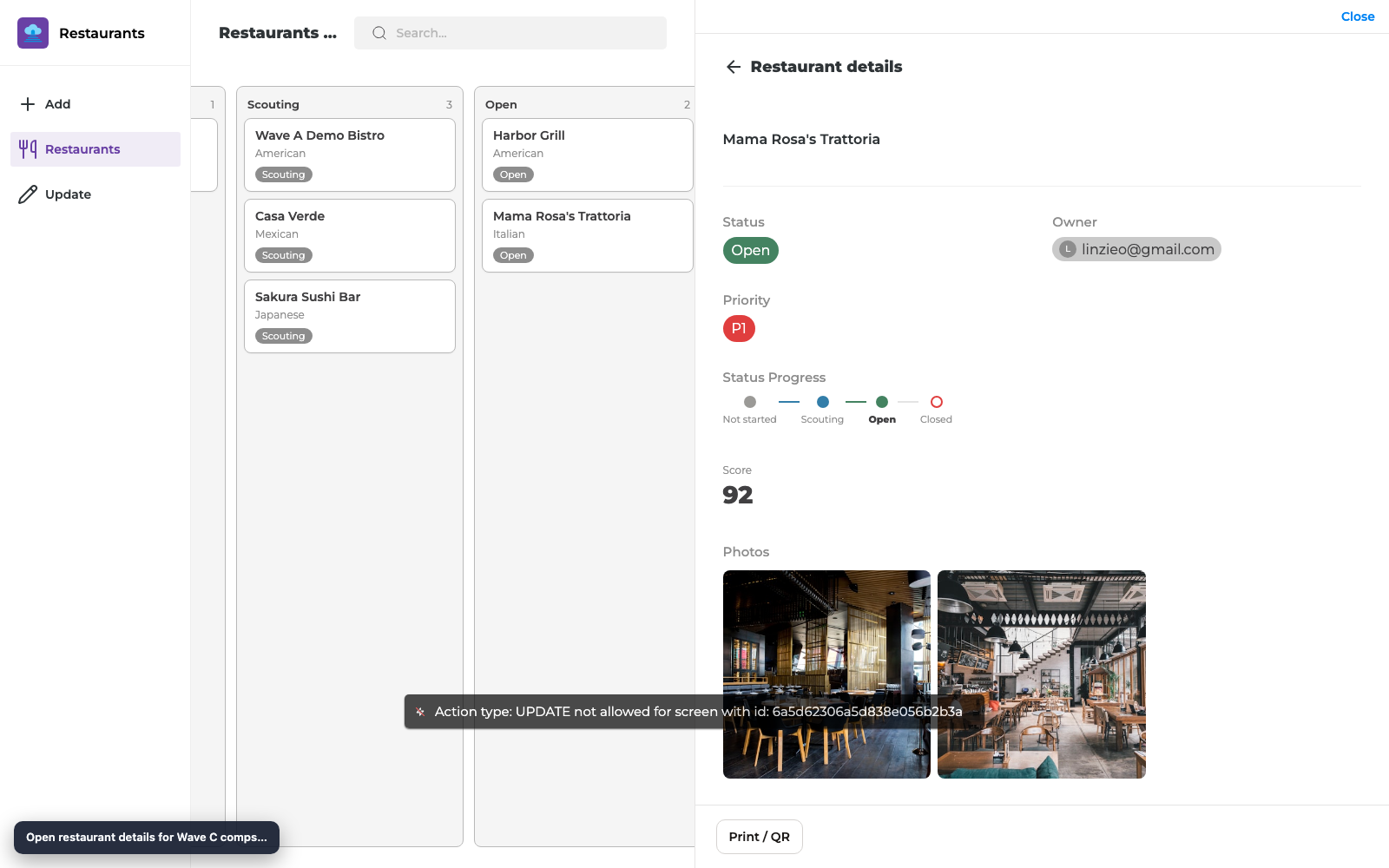
End-to-end checklist
Section titled “End-to-end checklist”Board
- View type = Board
- Grouping = Status or Select
- Columns match Notion options after Reload Data
- Drag updates Notion (when intended)
- Tap opens Details
Details polish
- Metric Card shows the KPI you expect
- Status Timeline highlights the active status
- Media Gallery shows thumbs for records with files
- Unique ID Chip matches Notion (e.g.
RST1) - Select / Priority badges use Notion colors
Ship
- Published after changes
- Hard-refresh live app if an old build was cached
What did not change
Section titled “What did not change”| Area | Behavior |
|---|---|
| List / Grid / Calendar | Unchanged until you switch view type |
| Reference-list comps | Stay List/Grid (no Board) |
| Automation Work Queue | Unchanged |
| File upload | Still Create/Update file/image comps — Media Gallery is view-only |
Troubleshooting (quick)
Section titled “Troubleshooting (quick)”| Symptom | Fix |
|---|---|
| Board has no columns | Enable grouping on Status/Select; Reload Data |
| Drag does not save | Allow writable Status/Select + multi-row update; see Board guide |
| Details comps empty | Bind correct field types; ensure sample record has values |
| Colors wrong | Reload Data after Notion option color changes |
Screenshot index
Section titled “Screenshot index”| File | Use |
|---|---|
assets/wave-c-layouts-guide/01-builder-ready.png |
Builder before/with List context |
assets/wave-c-layouts-guide/02-builder-board.png |
Board columns in builder |
assets/wave-c-layouts-guide/03-builder-board-dnd.png |
Board drag in builder |
assets/wave-c-layouts-guide/04-enduser-board.png |
Published Board |
assets/wave-c-layouts-guide/05-enduser-board-dnd.png |
Published Board after drag |
assets/wave-c-layouts-guide/06-details-comps.png |
Details comps layout |
assets/wave-c-layouts-guide/07-details-wave-c-pass.png |
Details polish pass |
Optional walkthrough video (e2e capture): assets/wave-c-layouts-e2e/wave-c-layouts.mp4
Related reading
Section titled “Related reading”- Board List View
- Metric Card
- Select Option Badges
- Media Gallery
- Status Timeline
- Unique ID Chip
- Status and People Field Fidelity
- 20 Jul 2026 Release
Annotated builder screenshots
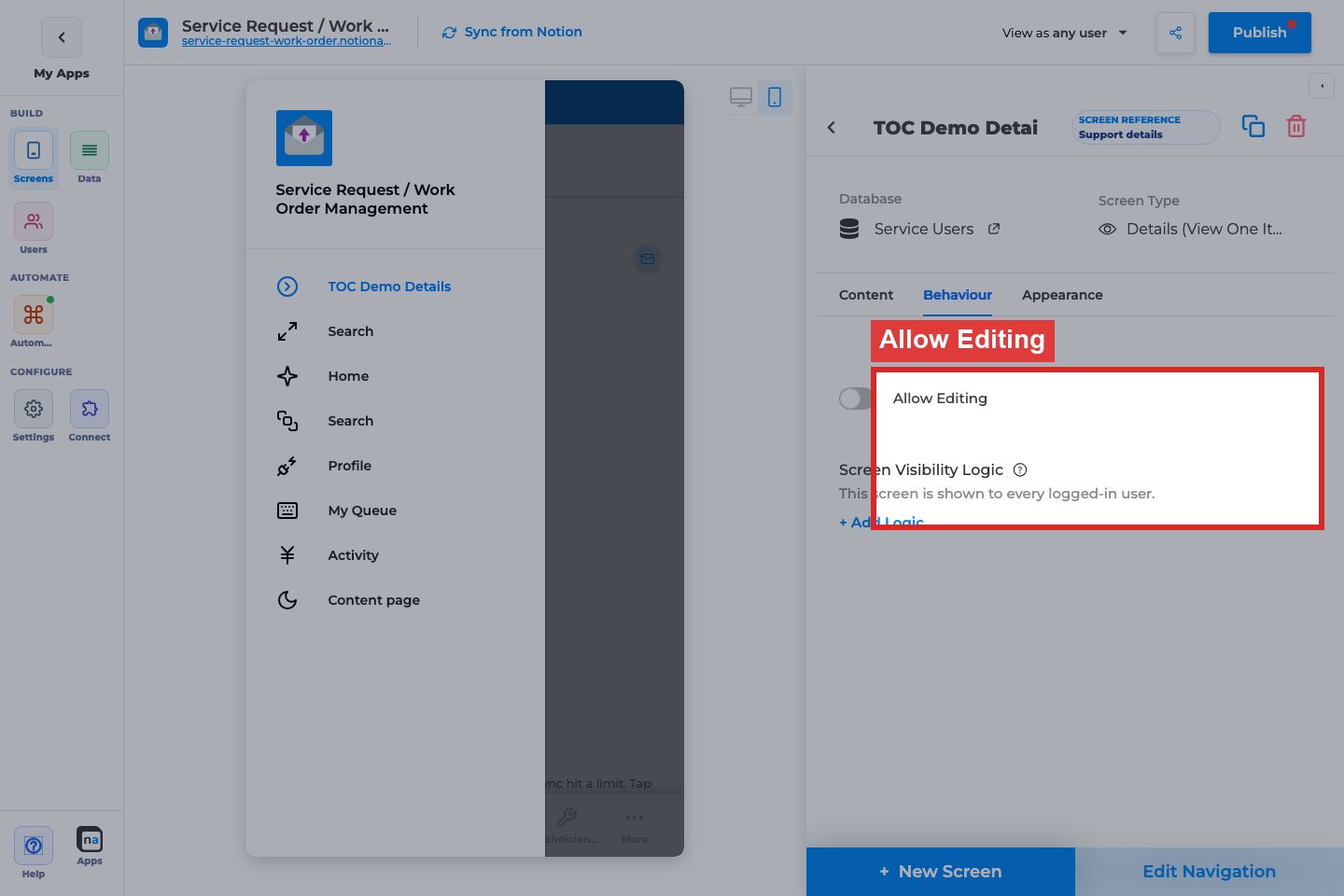
Section titled “Annotated builder screenshots”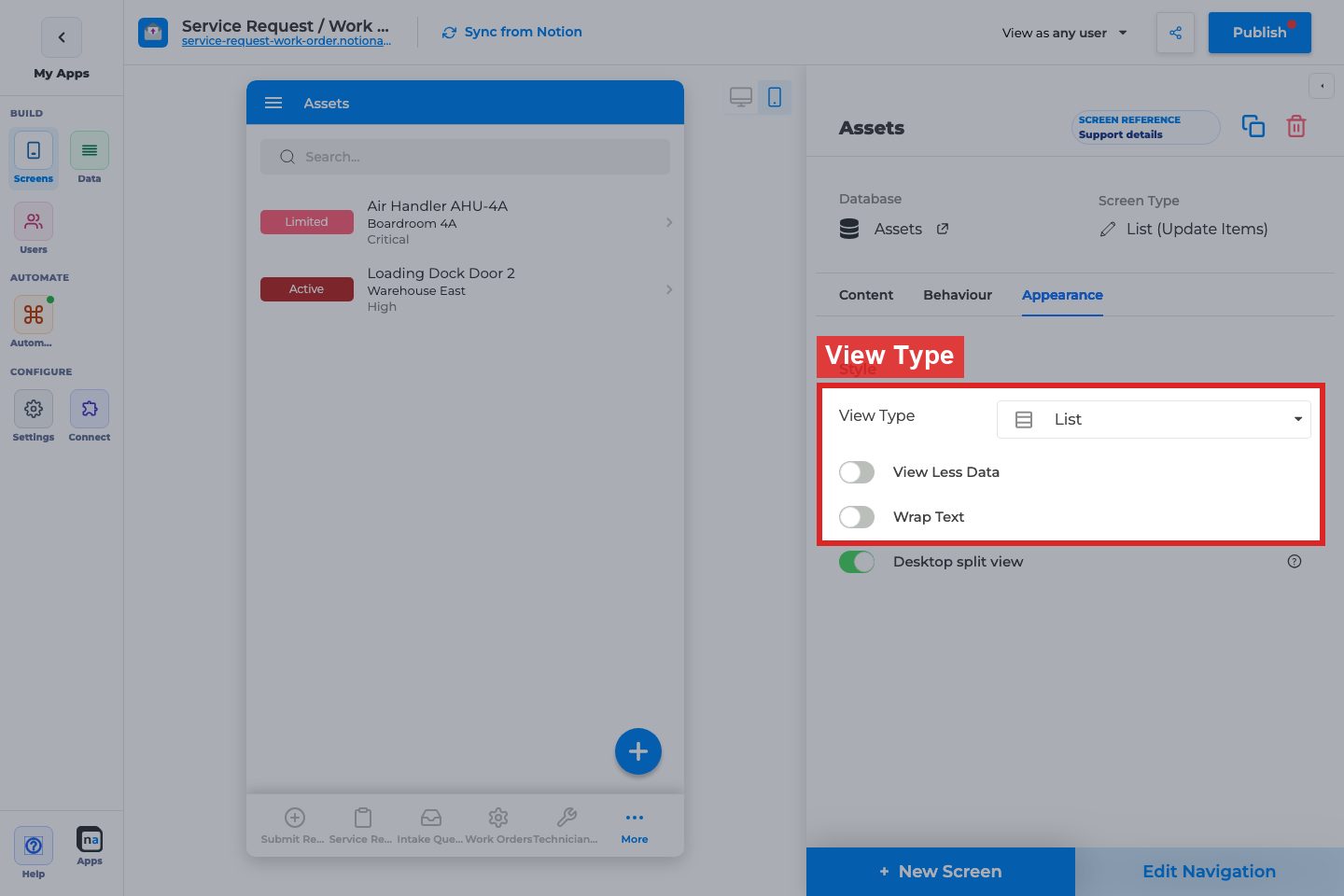
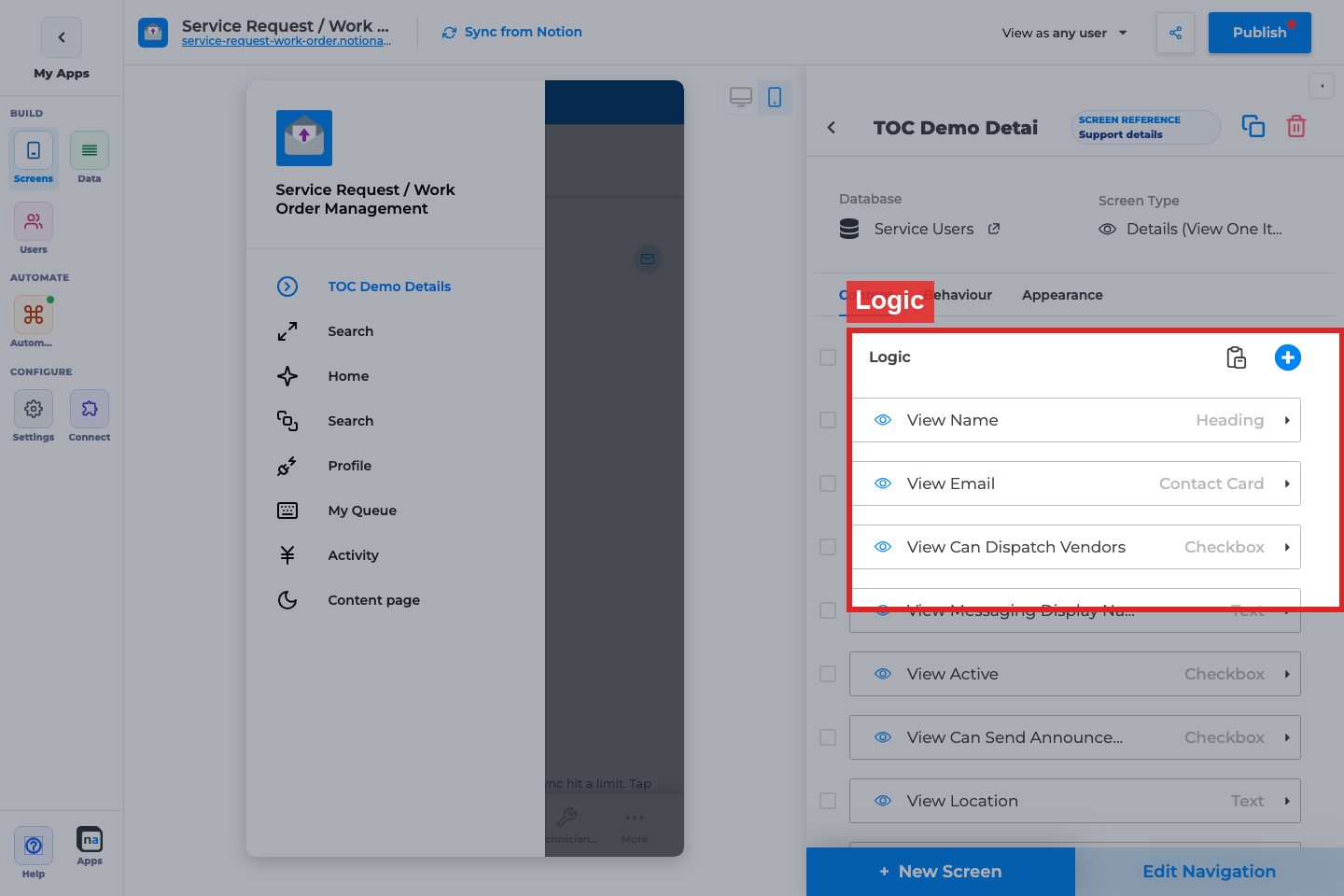
Complete Builder Options Reference
Section titled “Complete Builder Options Reference”Related screens:
- List Appearance / View Type — List (View Items)
- Details field layout — Details (View One Item)
View Type / Board polish
Section titled “View Type / Board polish”What it does: Switches list presentation and card density.
How to use it: Pair Board with clear Title/Tag mappings and a Details screen for drill-in.
Why / recommended default: Board for workflow status; Details for the full record.