Open Screens That Are Hidden From Navigation
Turn Show in navigation off to keep a screen out of bottom, side, or top nav — and still open it from buttons, links, form actions, and redirects.
What this guide covers
Section titled “What this guide covers”| Goal | Result |
|---|---|
| Hide a screen from nav chrome | No tab / drawer / top-nav item |
| Keep button / form navigation | The screen still opens from configured actions |
| Avoid stranding users | Clear path in and out of the hidden screen |
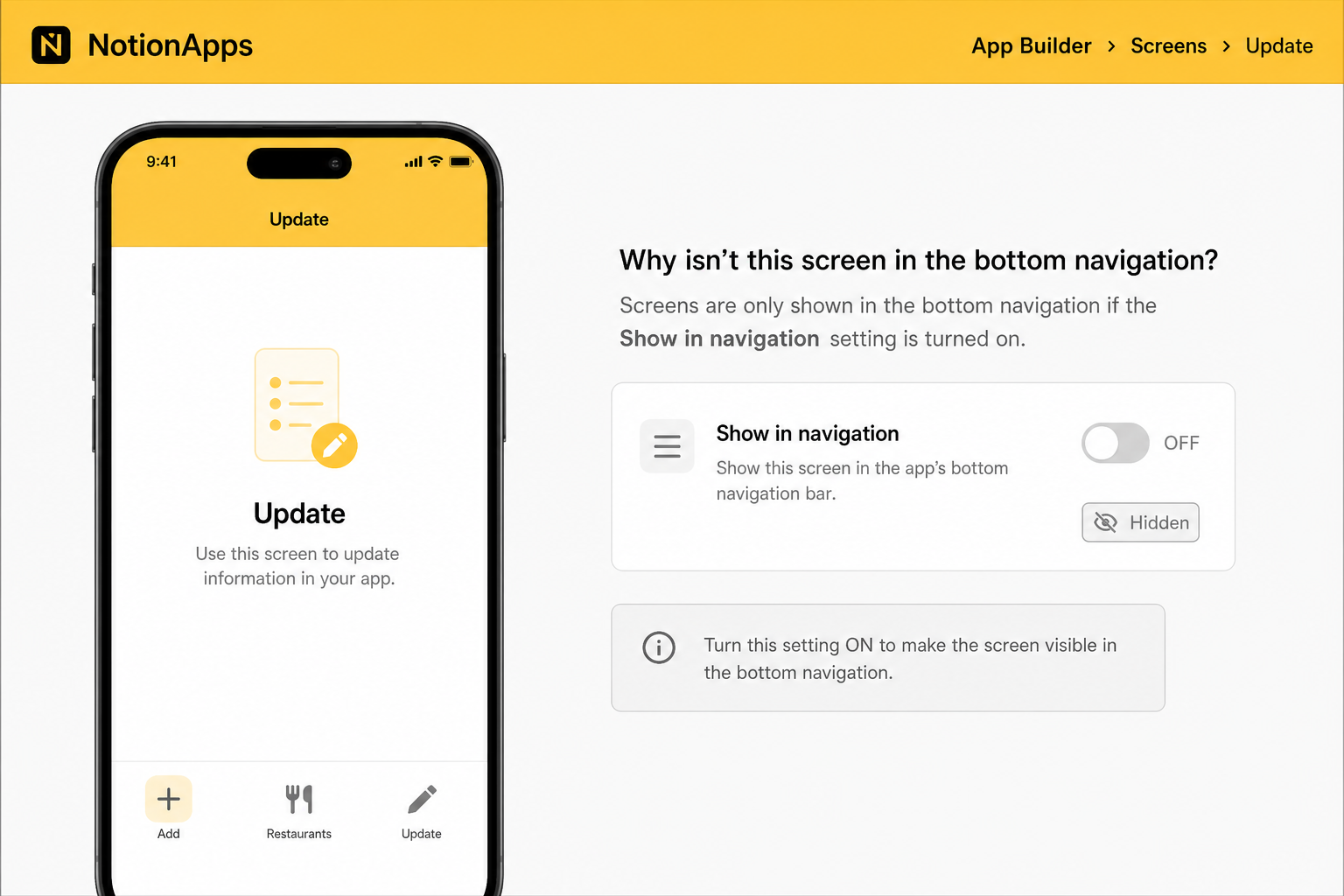
Step 1 — Hide the screen from navigation
Section titled “Step 1 — Hide the screen from navigation”- Open the app in the builder.
- Open Edit Navigation / All Screens.
- Find the screen row (for example, a confirmation or support details screen).
- Turn In nav / Show in navigation off.
- Confirm the Hidden badge appears on the row.
Step 2 — Keep a way to open it
Section titled “Step 2 — Keep a way to open it”Configure at least one entry path:
- A Button with Go to screen pointing at the hidden screen
- A form submit redirect to the hidden screen
- A list/details action that opens the hidden screen
- An in-app link
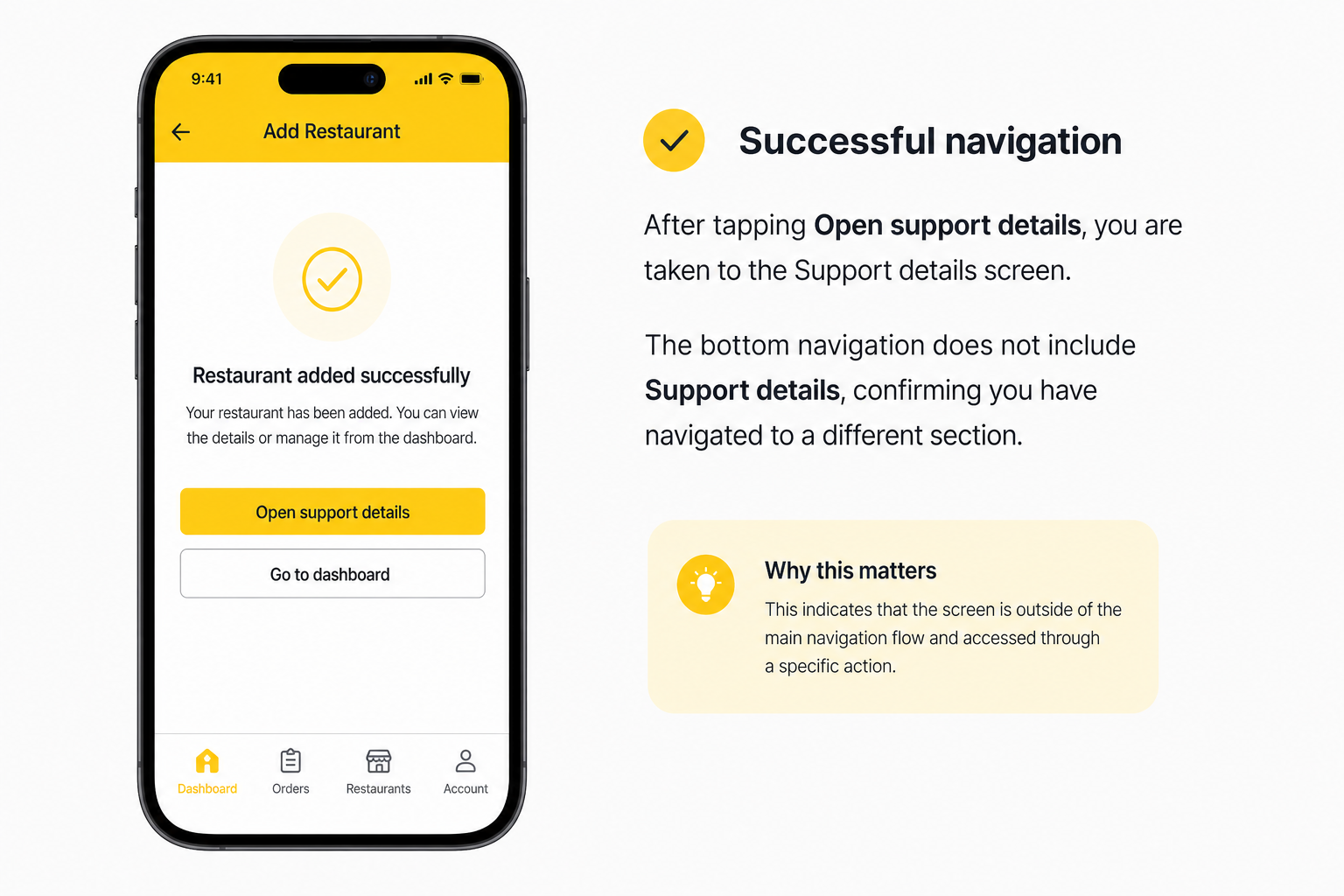
Step 3 — Preview and publish
Section titled “Step 3 — Preview and publish”- Preview mobile and desktop.
- Confirm the screen is absent from navigation.
- Confirm the button / form action still opens the screen.
- Publish and re-test on the live app (hard-refresh if a tab was already open).
Recommended patterns
Section titled “Recommended patterns”| Pattern | Visible in nav | Hidden screen |
|---|---|---|
| Form → confirmation | Create Form | Confirmation |
| List → details | List | Details |
| Dashboard → utility | Home / List | Admin utility |
| Guided onboarding | First step only | Later steps |
Checklist
Section titled “Checklist”- Show in navigation is off for supporting screens only
- At least one button, link, or redirect opens each hidden screen
- Users are not stranded (Back, Home, or next-step action exists)
- Preview and published app both tested
- Sensitive screens also have real access rules
Troubleshooting
Section titled “Troubleshooting”| Symptom | Likely cause | What to do |
|---|---|---|
| Button does nothing | Stale published client / unpublished change | Publish, hard-refresh; confirm the action target screen id |
| Screen still in nav | Wrong navigation list / role nav | Check All Screens for the active navigation configuration |
| Users can open a sensitive screen | Expected for hide-from-nav | Add access control / personalization |
| Start screen hidden | Allowed but easy to strand users | Add a clear primary button on that screen |
Related reading
Section titled “Related reading”- Screen Navigation Visibility — full reference
- 20 Jul 2026 Release
- Button Component
Annotated builder screenshots
Section titled “Annotated builder screenshots”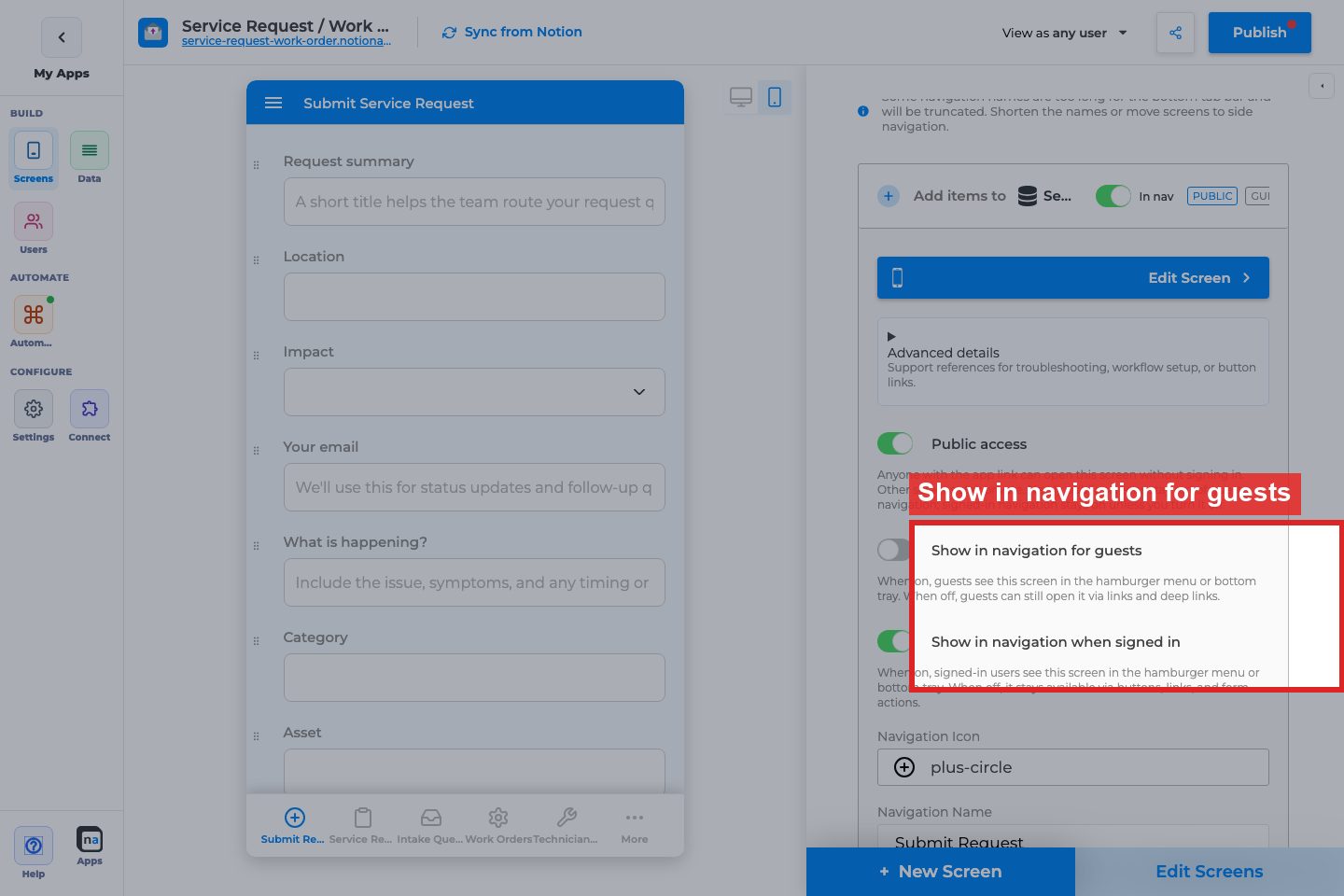
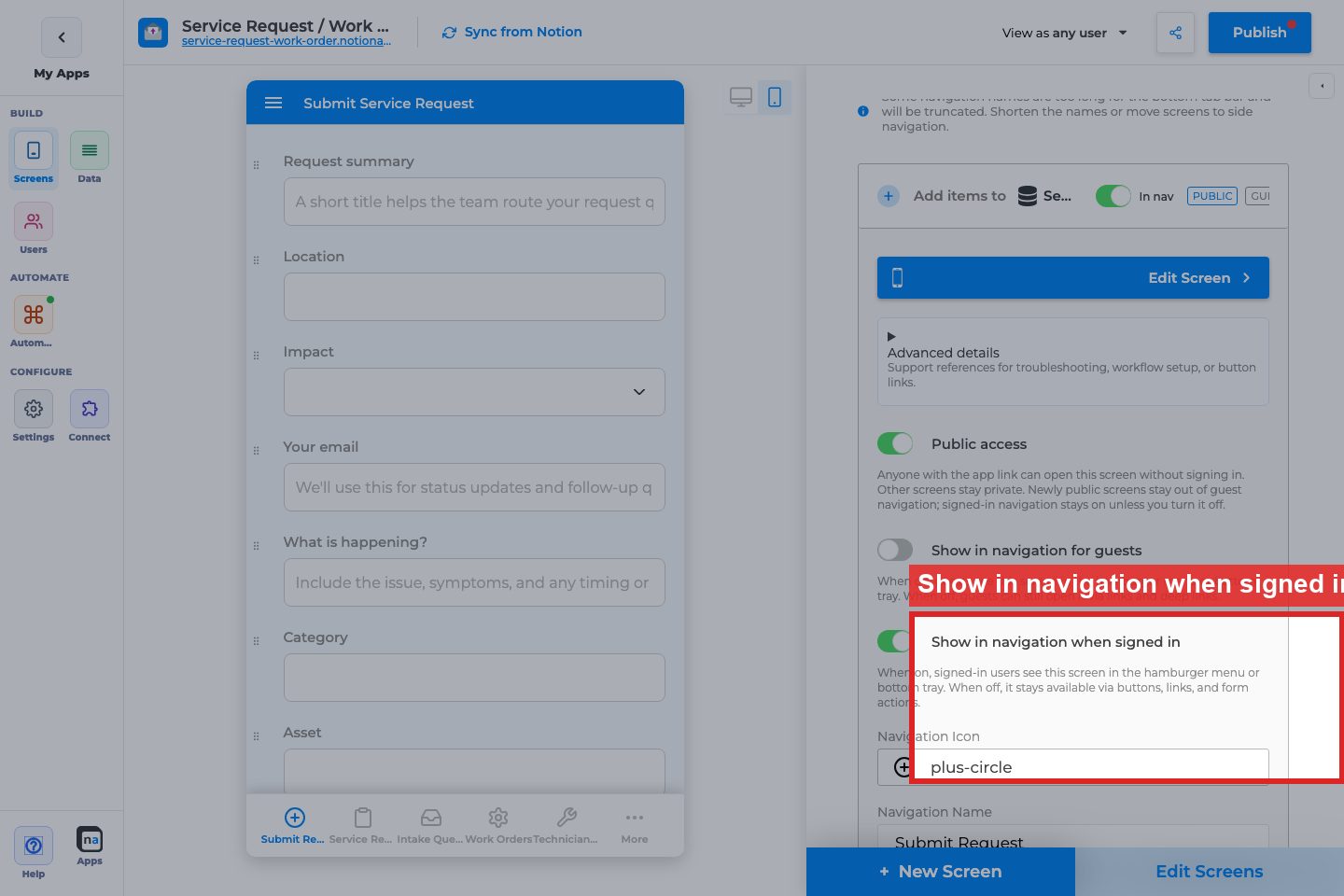
Complete Builder Options Reference
Section titled “Complete Builder Options Reference”Screen accordion / Edit Navigation
Section titled “Screen accordion / Edit Navigation”Show in navigation / In nav
Section titled “Show in navigation / In nav”What it does: Controls whether the screen appears in the hamburger or bottom tray.
How to use it: Turn off for utility screens opened only from buttons, Actions, or deep links.
Why / recommended default: Hide update forms and intermediate details when a list already opens them.
Show in navigation for guests / when signed in
Section titled “Show in navigation for guests / when signed in”What it does: Splits guest vs signed-in visibility on public screens.
How to use it: Hide guest-only welcome pages from signed-in nav.
Why / recommended default: Pair with Per-Screen Public Access.