Buy Additional Custom Domains
How to purchase additional custom domains:
Section titled “How to purchase additional custom domains:”- Subscribe to a paid NotionApps plan: This feature is not available on the FREE plan. Upgrade to a paid plan that best suits your needs. Go to the Pricing page to upgrade.
- Access your account settings: On the NotionApps homepage, click on Settings in the side navigation bar.
- Locate the “Buy More” option: Under the Usage section, click the “Buy more usage” button.
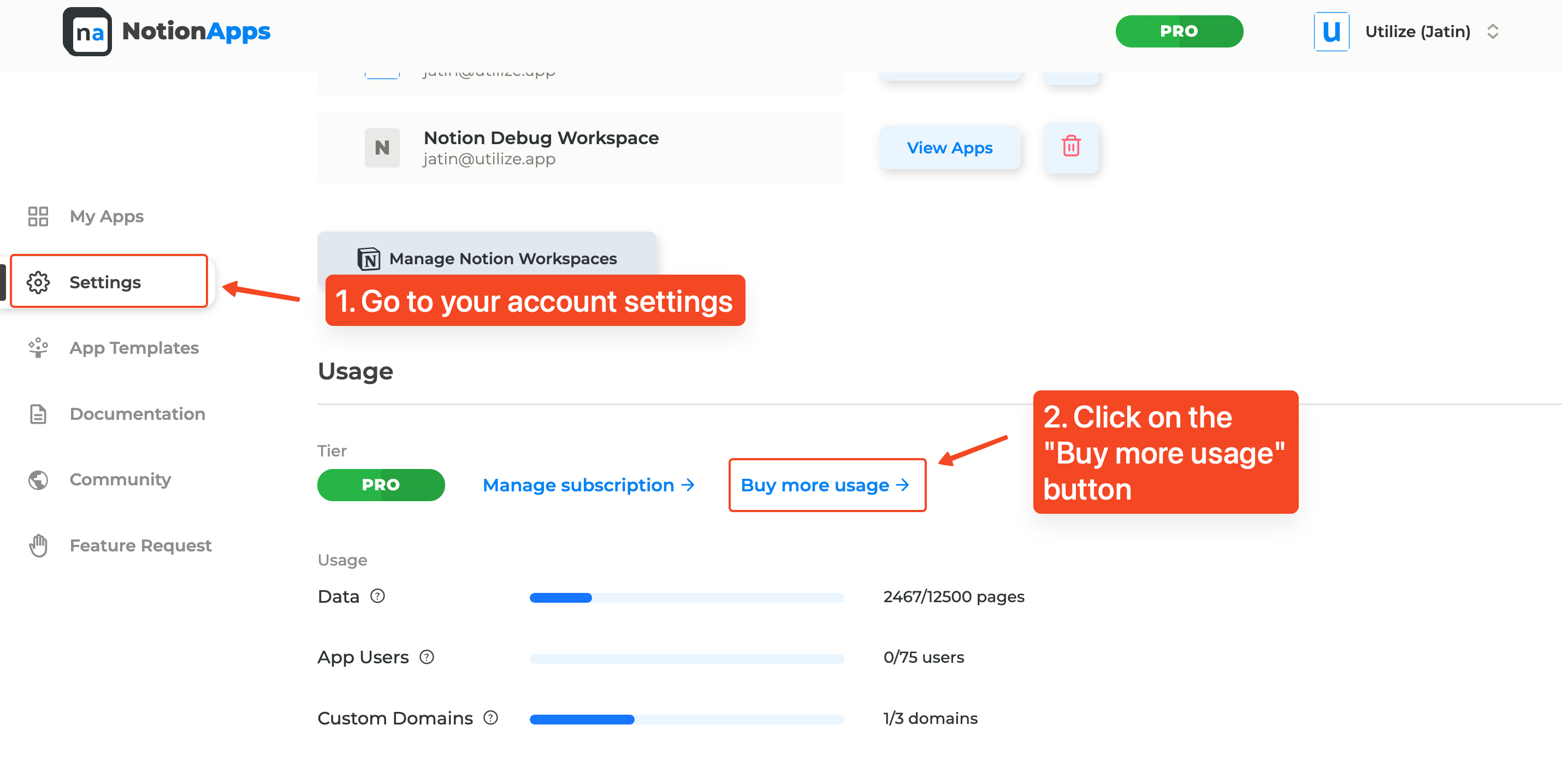
- Manage your plan through Stripe: You’ll be redirected to a secure Stripe customer portal. Click “Update Plan” to manage your subscriptions.
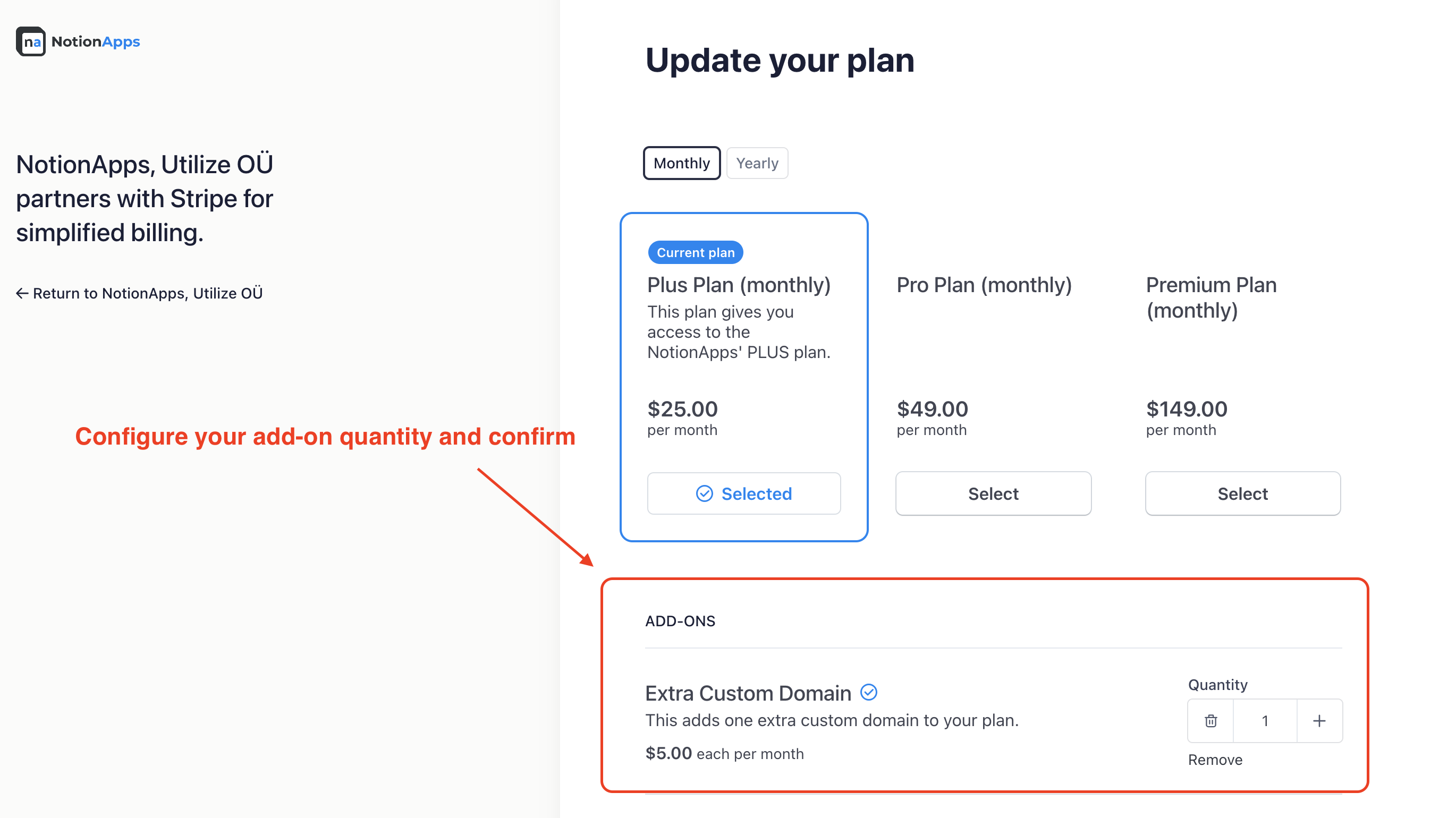
- Add “Extra Custom Domain” add-on: Look for the new option “Extra Custom Domain” under available add-ons.
- Choose the quantity and confirm: Select the number of additional custom domains you want to purchase and confirm your selection.
Important notes:
Section titled “Important notes:”- This feature is not currently available on free plans.
- For custom solutions or bulk purchases, please contact NotionApps support at
help@notionapps.com. - Remember to update your DNS settings with the provided information after purchasing your additional domains.
Additional resources:
Section titled “Additional resources:”- Learn more about custom domains in our documentation:
- Watch a video tutorial on configuring custom domains: https://www.youtube.com/watch?v=P_gsinKQLxA&list=PLCorDDb5Av4qNRY5ca1x1evzWeRPbVpkc&index=5