Worked Example: Queue-Based Workflow
Worked Example: Queue-Based Workflow
Section titled “Worked Example: Queue-Based Workflow”Build a workflow where work routes to a team queue instead of a single reviewer.
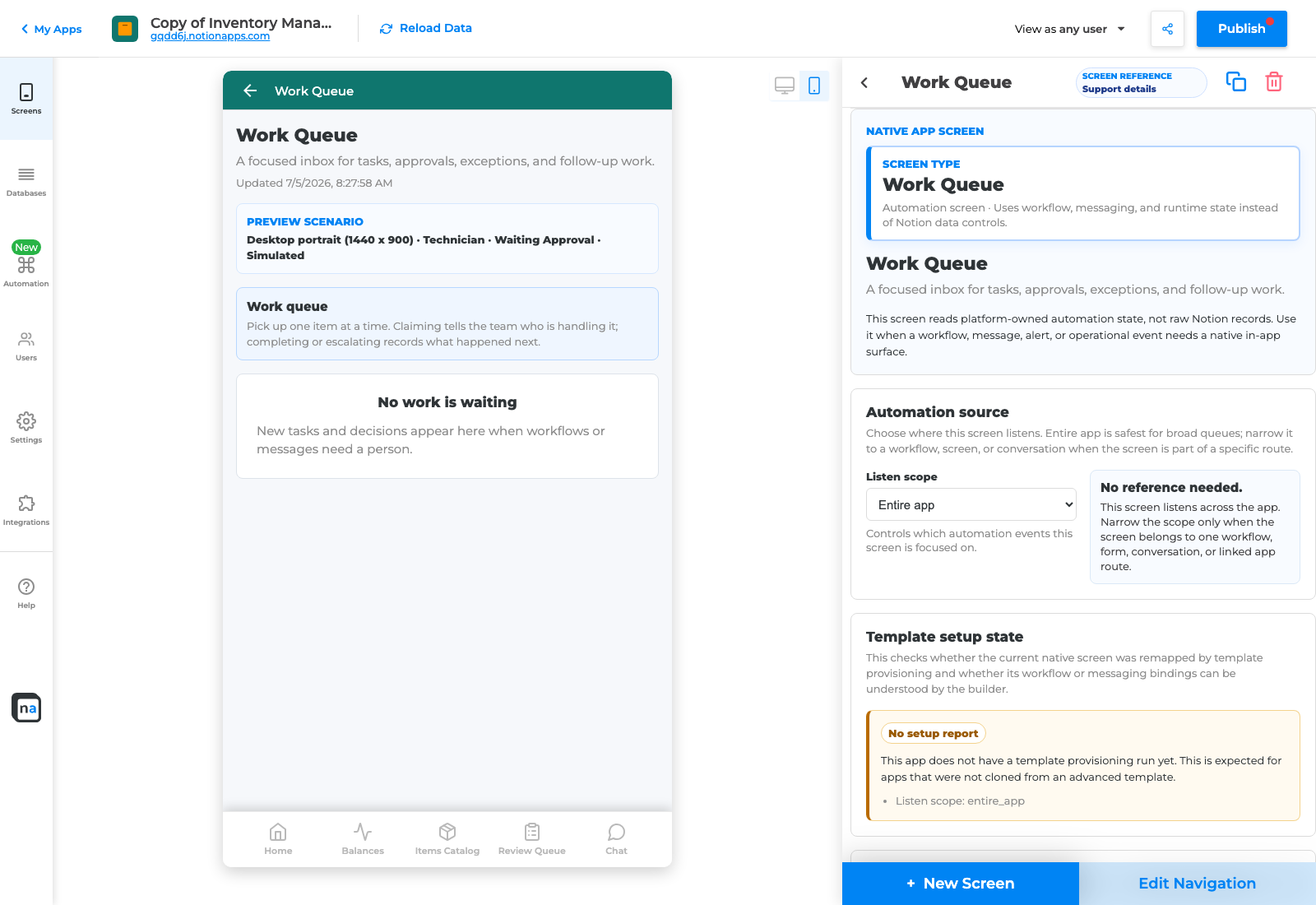
Work Queue screen type.
Scenario
Section titled “Scenario”An inventory count discrepancy is submitted and routed to the operations team. The team sees it in Work Queue, claims it, investigates, and completes it.
Setup steps
Section titled “Setup steps”- Create a source page for count discrepancies.
- Add fields: Item, Location, Reported count, Expected count, Reason, Priority, Status, Owner.
- Add Submit discrepancy.
- Open Automation and choose queue or dispatch workflow.
- Set When this happens to Submit discrepancy.
- Choose Operations team as recipient.
- Choose Work Queue as destination.
- Add Notification Center alert to the team.
- Add Workflow Status for the submitter.
- Add Exception Resolution for missing team or permission failures.
- Validate.
- Submit a test discrepancy and preview as operations.
Verification
Section titled “Verification”The workflow is ready when the item appears in Work Queue, a team member can claim it, status changes visibly, the submitter can see progress, and exceptions are clean.