How to enable third-party cookies?
NotionApps needs third-party cookies for Google authentication to work properly. Here are the instructions on how to enable third-party cookies in your Google Chrome browser.
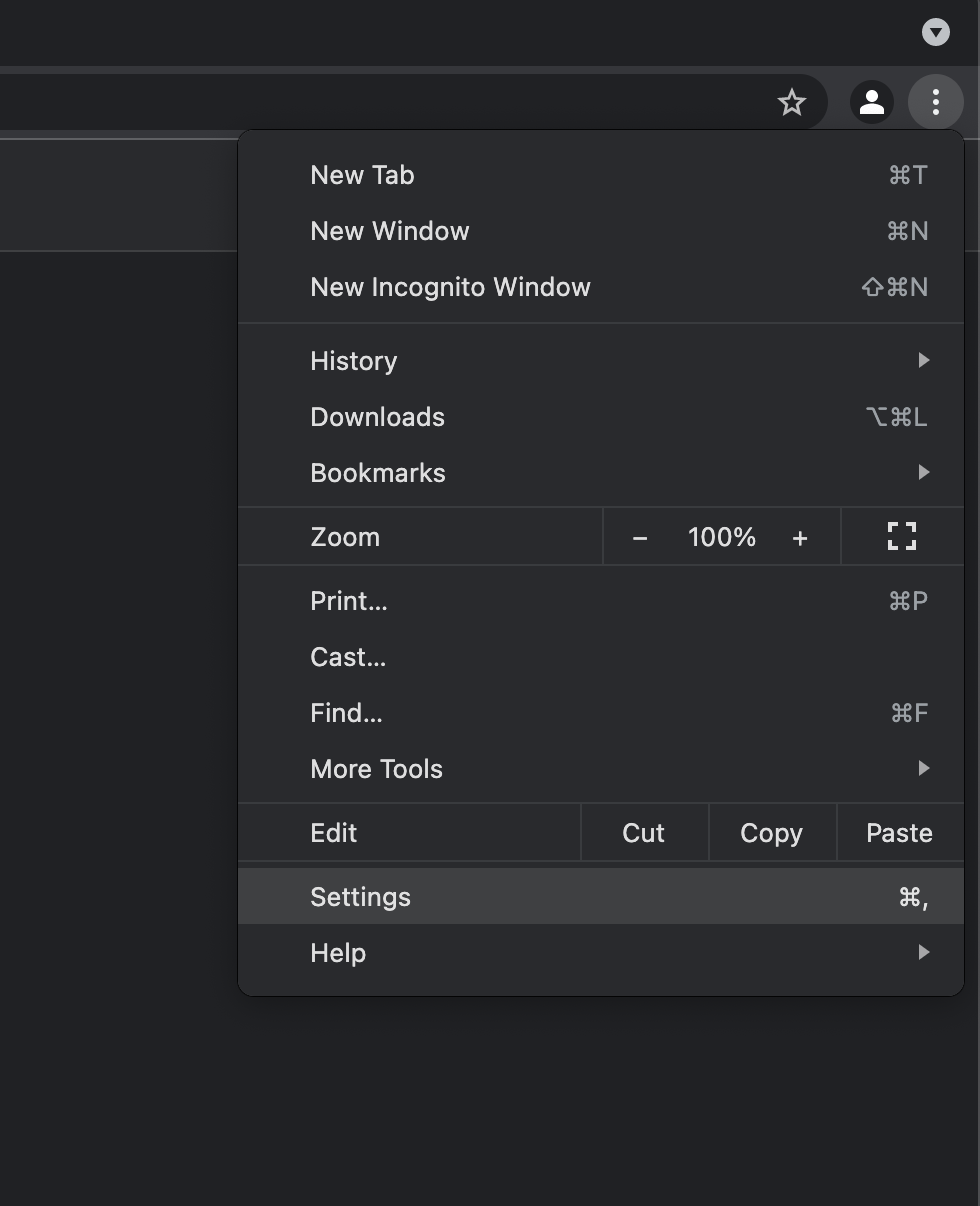
- In the Google Chrome browser, at the top right, click More (3 dotted) and then Settings.
- In the Privacy and Security section, click Cookies and other site data
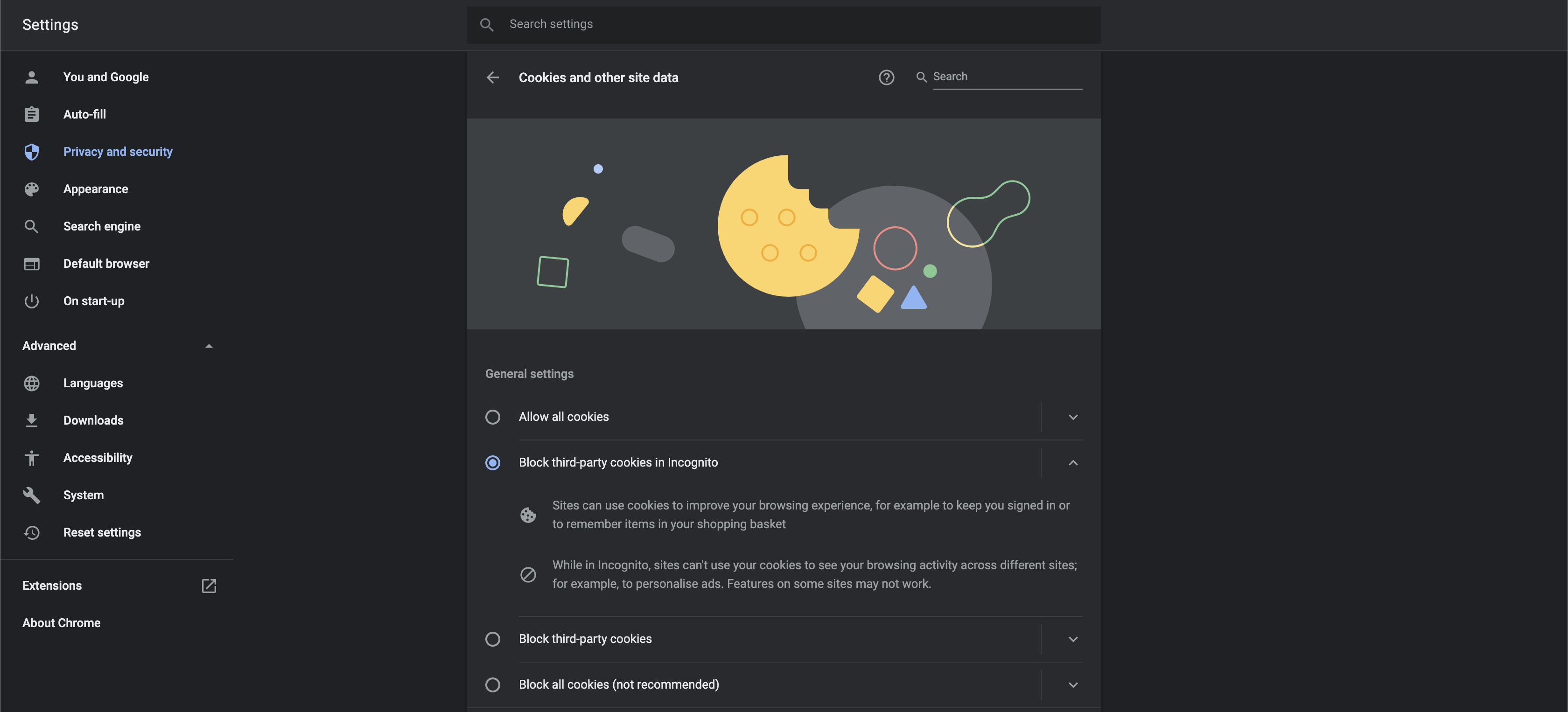
- Select the option Allow all cookies or Block third-party cookies in Incognito.