I can't see my databases/pages inside NotionApps. How do I resolve it?
Sometimes, there are issues at Notion’s end due to which NotionApps does not get access to linked databases/pages. The best way to force Notion to link these items to NotionApps is to manually link them. To do so, follow these steps:
- Go to your desired top-level page (a page that has all the databases you want to link to NotionApps) inside Notion.
- In the page options menu, click on the “Connections” option.
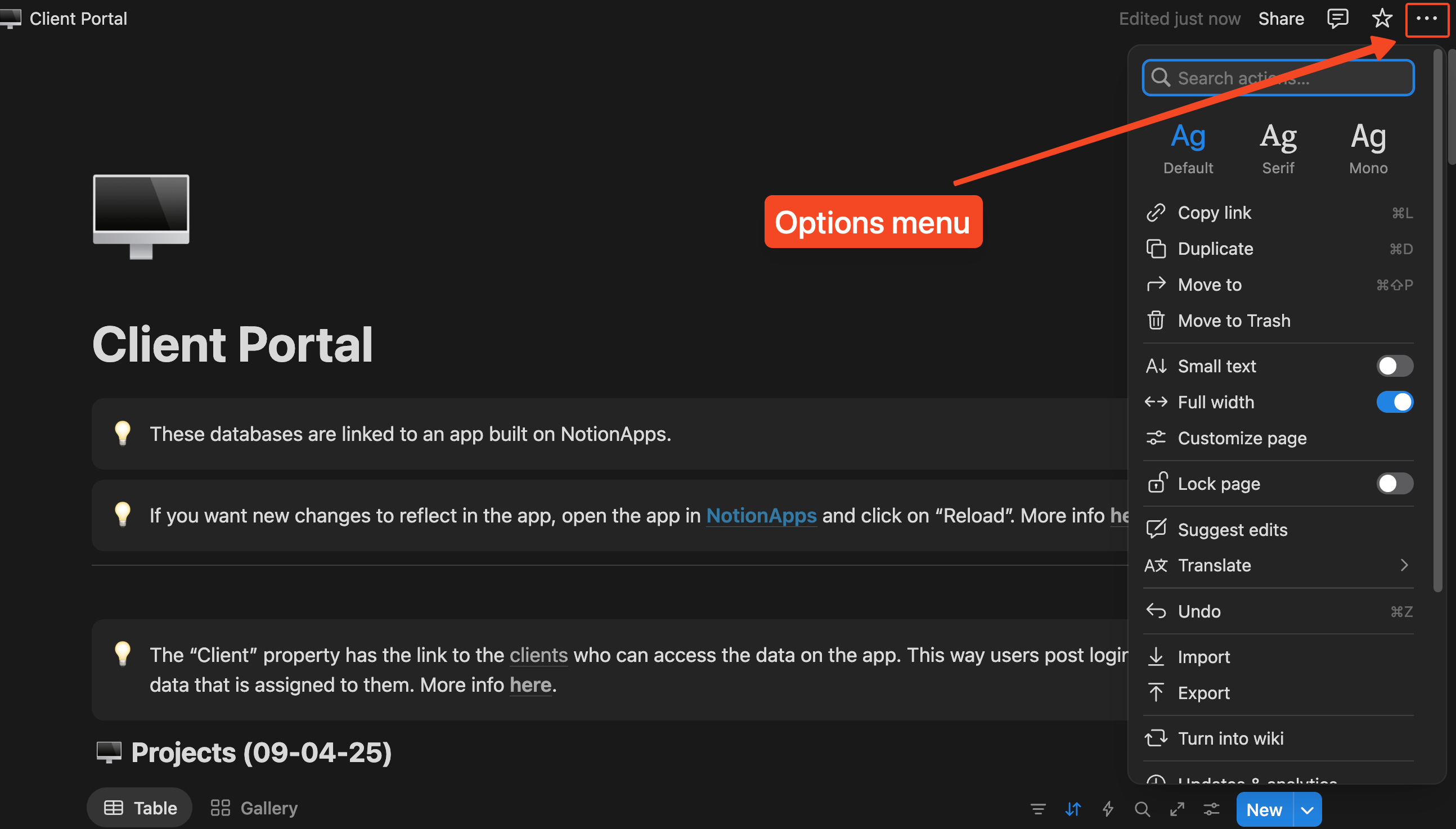
- From “Connections” choose NotionApps.
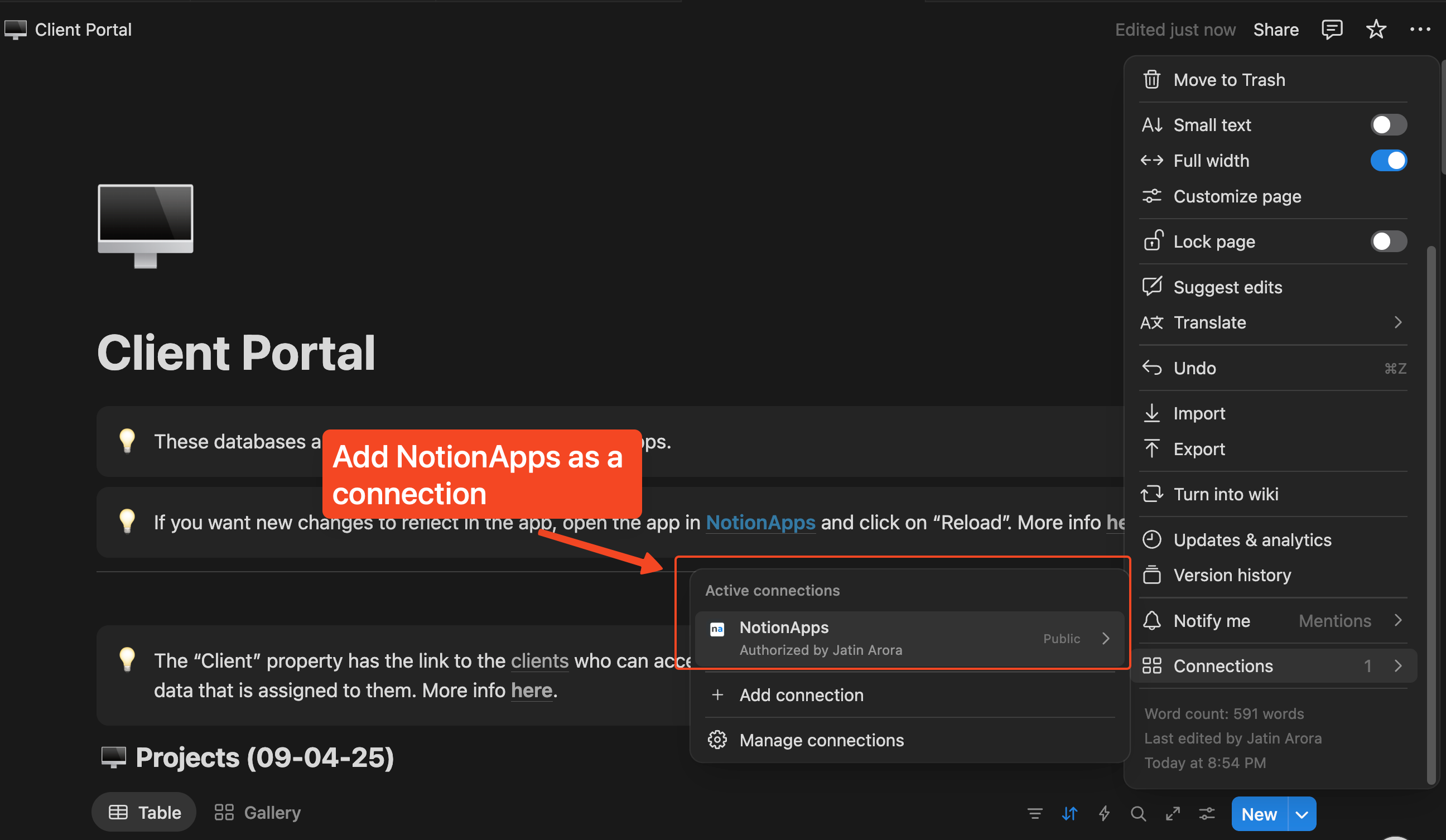
Please wait for up to a minute and the selected item will be available to link inside NotionApps.
Still not visible?
Section titled “Still not visible?”If the databases are still not visible, there is a workaround you could try to show them in NotionApps.
Suppose your database is deeply nested within pages, i.e. Top level page → Child page → Database, move the database to a level above - Top level page → Database. For example,
Initial State of your Notion setup
Home page → Projects & Tasks page → Projects Database (not visible inside NotionApps)
Modified State of your Notion setup
Home page → Projects Database (moved to a level above)
This change forces Notion to refresh their cache and re-link the database(s) to NotionApps.